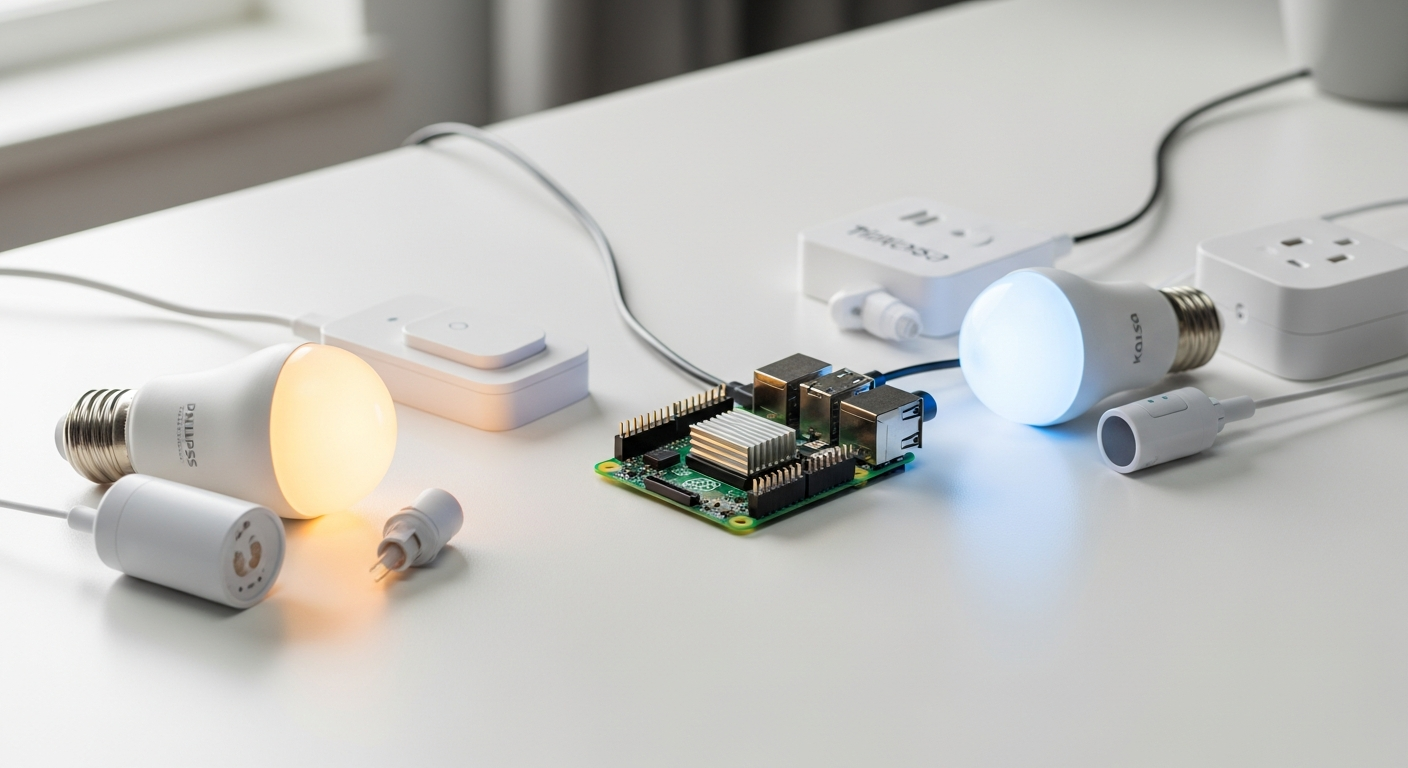
Building Your Own Smart Home Hub with Raspberry Pi 4 Model B
Smart home technology costs thousands of dollars when you buy pre-built systems, yet you can build a fully functional home automation hub for under $100. The Raspberry Pi 4 Model B has become the backbone of countless DIY automation projects worldwide, transforming ordinary homes into responsive, intelligent living spaces.
Home automation used to require specialized certifications and expensive equipment, but the Raspberry Pi 4 Model B changed that equation entirely. With its quad-core processor, dual-band Wi-Fi, Gigabit Ethernet, and GPIO header for hardware integration, this single-board computer puts professional-grade automation within reach of anyone willing to invest time and effort.
Start building your smart home automation system with the Raspberry Pi 4 Model B today.
By the end of this guide, you'll have a clear roadmap for building your own intelligent home system. You'll understand which hardware components matter most, how to configure your software environment, explore proven automation platforms, and see real-world examples that actually work.
Why the Raspberry Pi 4 Model B Dominates Home Automation Projects
Processing power meets affordability
The Broadcom BCM2711 quad-core processor handles multiple automation tasks simultaneously without breaking your budget. This isn't a weak processor—it's genuinely capable of running complex automation logic, processing sensor data from dozens of devices, and managing network traffic all at once. Compare this to the thousands you'd spend on commercial home automation systems, and the value proposition becomes obvious.
Connectivity that actually works
Dual-band Wi-Fi, Bluetooth 5.0, and Gigabit Ethernet ensure reliable communication with smart devices throughout your home. The two USB 3.0 ports and two USB 2.0 ports give you flexibility in adding additional network adapters or storage devices. Whether your smart bulbs prefer 2.4GHz or 5.0GHz Wi-Fi, the Pi 4 handles both simultaneously. This redundancy matters when you're building a system you depend on daily.
Expandability through GPIO
The 40-pin GPIO header lets you connect sensors, relays, and custom hardware directly to your automation hub. You're not limited to what manufacturers decide to support—you can wire temperature sensors, motion detectors, relay switches, and custom circuits directly to the pins. This flexibility separates a truly programmable system from a locked-down appliance.
Thermal stability for 24/7 operation
Unlike some single-board computers, the Pi 4 can run continuously with proper cooling solutions. Home automation systems need to be always-on, always-responsive. With a decent heatsink or small fan, the Pi 4 handles sustained operation without throttling performance or degrading reliability.
Community-driven ecosystem
Thousands of pre-built integrations and open-source projects accelerate your development timeline. You're not starting from scratch. Chances are high that someone has already solved the specific automation problem you're trying to tackle and shared their solution publicly.
Proven track record
Millions of deployed units mean you're building on battle-tested hardware. Newark element14 has been a primary distributor of Raspberry Pi devices, and their consistent stock levels reflect the device's reliability. You're not betting on experimental hardware—you're building on something proven in production environments worldwide.
Essential Hardware Components for Your Automation Setup
Power supply considerations
USB-C power requirements are non-negotiable. The Raspberry Pi 4 Model B demands a quality power supply rated for at least 3 amps at 5 volts. When you're adding peripherals—network adapters, SSD drives, or powered sensors—undersized power supplies become a common failure point. Budget for a proper supply rated for 5 amps to handle expansion headroom.
Storage solutions
Start with a Class 3 or better microSD card for basic setups. For faster performance and better reliability in continuous operation, consider USB boot options or SSD integration. The Pi 4's USB 3.0 ports make external storage viable, and you'll see tangible speed improvements in database operations and log file management.
Cooling solutions
Passive heatsinks work for moderate automation loads, but active cooling fans become worthwhile if you plan to run resource-intensive platforms like Home Assistant for extended periods. Thermal management directly impacts stability—overheating causes throttling and system resets at precisely the worst moments.
Network connectivity
Ethernet cables provide more reliable communication than Wi-Fi, especially for your central automation hub. If running a cable isn't practical, optimize your Wi-Fi by positioning the Pi 4 centrally and using the 5GHz band for your hub's own connectivity while letting smart devices use 2.4GHz.
Sensor integration hardware
Temperature sensors, motion detectors, light sensors, and relay modules are the practical tools that make automation actually do something. DS18B20 temperature sensors cost mere dollars and connect directly via GPIO. Relay modules let you control high-voltage devices safely. Motion sensors trigger automations. Light sensors adjust behavior based on ambient conditions.
Protective enclosures
Case options that maintain airflow while protecting your investment matter more than aesthetics. Choose cases with ventilation cutouts, not sealed boxes that trap heat. Your automation hub shouldn't be beautiful if it means it runs hot and fails unexpectedly.
Backup power systems
UPS considerations for maintaining automation during power outages keep your system running when household power fails. A small battery backup ensures your hub stays active, maintaining security monitoring and critical automations even when the lights go out.
Get your Raspberry Pi 4 Model B hardware setup and unlock professional home automation capabilities.
Software Platforms That Transform Your Pi into a Smart Home Brain
Home Assistant
Home Assistant stands out as the most feature-rich option available. It supports thousands of smart home devices and services, from mainstream brands like Philips Hue and Nest to obscure IoT protocols. The web interface is intuitive, automation rules are visual and logical, and the community constantly develops new integrations. Running Home Assistant on a Pi 4 with 4GB or more RAM ensures smooth operation.
OpenHAB
OpenHAB offers flexibility that appeals to users managing heterogeneous device ecosystems. Its rule engine handles complex scenarios, and it supports enough smart home protocols to integrate nearly any device. OpenHAB requires more configuration work than Home Assistant but rewards detailed setup with powerful functionality.
Node-RED
Node-RED takes a visual programming approach, perfect for beginners and complex automation flows. You drag blocks representing actions and conditions, then connect them logically. Experienced developers appreciate its flexibility, while newcomers find it accessible. Running Node-RED on a Pi 4 means you can handle moderately complex automations without writing traditional code.
Domoticz
Domoticz serves as the lightweight option ideal for resource-constrained setups. If your Pi has only 2GB RAM or you're running it alongside other services, Domoticz uses minimal resources while still handling core automation tasks effectively.
MQTT messaging
MQTT provides the reliable protocol foundation for device-to-device communication. Unlike cloud-dependent solutions, MQTT messaging happens entirely within your home network. Your smart devices publish messages to the MQTT broker running on your Pi, and your automation platform subscribes to relevant messages, creating responsive systems with minimal latency.
Docker containerization
Docker lets you run multiple services simultaneously without conflicts. Home Assistant in one container, Node-RED in another, and a database in a third—all running independently on your single Pi 4. This approach scales as your automation needs grow.
Database backends
Storing sensor data and automation history for analysis transforms raw readings into actionable insights. InfluxDB captures time-series data efficiently, while PostgreSQL handles complex queries. Analyzing months of temperature data reveals patterns that drive better automation decisions.
Your Smart Home Awaits
The Raspberry Pi 4 Model B removes the gatekeeping from home automation. You're no longer forced to choose between expensive proprietary systems or overwhelming complexity—there's a middle ground that actually works. Your journey into home automation doesn't require advanced degrees or specialized knowledge. What it requires is curiosity, patience, and a willingness to learn.
Start small with a single automation. Program your lights to turn on at sunset. Celebrate that success. Then expand methodically—add temperature sensors, create scenes for different times of day, integrate security monitoring. Each step builds on what you've learned.
The future of your home is waiting to be built. The question isn't whether you can create a smart home—it's whether you're ready to start.
Order your Raspberry Pi 4 Model B now and begin building your intelligent home system.
Leave a Reply