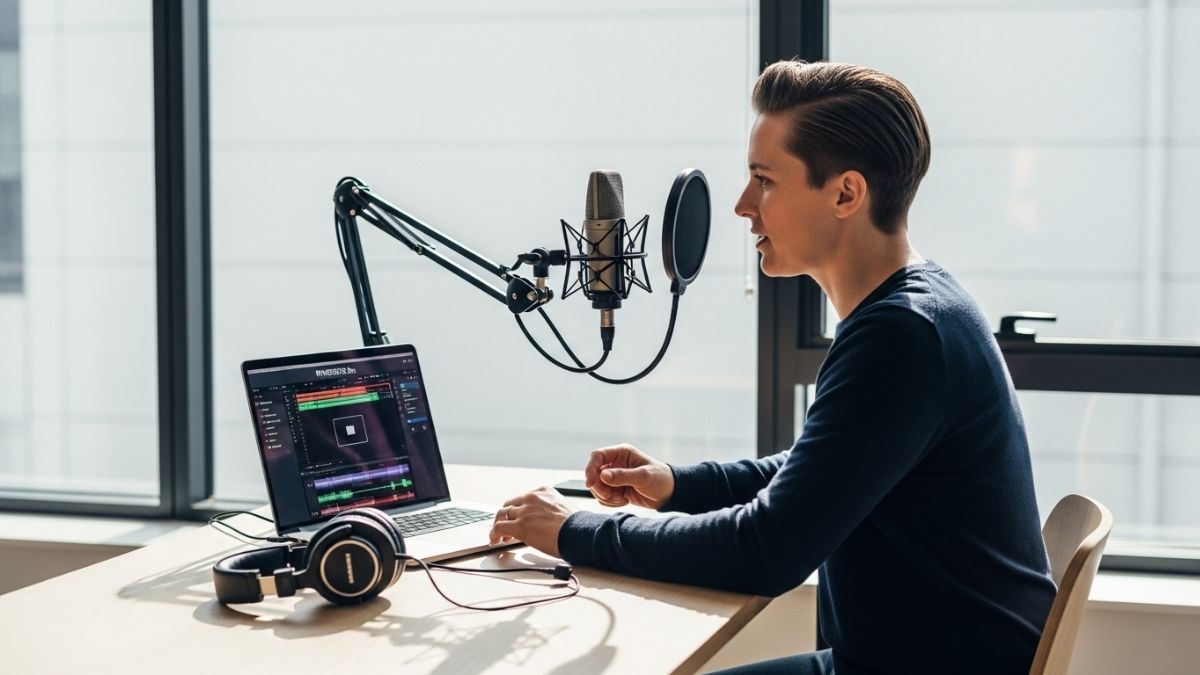
The reality hits hardest on Tuesday nights. You’ve just finished recording three podcast episodes or conducting five video interviews, and your calendar screams at you: four more days until publication. Yet somehow, editing still looms larger than the creation itself. The numbers don’t lie—73% of solo creators report spending more time editing than actually creating, turning what should be their competitive advantage into a production bottleneck. What if that time drain wasn’t inevitable, but rather a symptom of using the wrong tools?
Riverside.fm has quietly revolutionized remote content production by solving the exact problem keeping solo creators up at night: capturing broadcast-quality audio and video without the complexity, cost, or technical headaches. This platform doesn’t ask you to choose between quality and convenience. Instead, it delivers both simultaneously through technology designed specifically for creators who can’t afford to lose hours to post-production work.
Understanding what sets Riverside.fm apart requires seeing past surface-level features. You’ll discover the local recording technology that makes your audio sound professional straight out of the box, explore the AI editing features that reclaim hours from your production schedule, and understand which pricing tier actually makes sense for independent producers. Start your free trial with Riverside.fm today to see how it transforms your production workflow.
Why Solo Creators Are Ditching Zoom for Riverside.fm
The quality gap between conferencing tools and recording platforms sits at the heart of this shift. Zoom, Google Meet, and similar video conferencing platforms prioritize smooth, real-time communication over fidelity. They compress audio and video aggressively, sacrificing detail to maintain stable connections. For casual conversations, this works fine. For content that will reach thousands of people, those compression artifacts become glaring problems—muddy voice quality, pixelated video, and audio that sounds like it came through a telephone rather than a studio microphone.
Riverside.fm operates on fundamentally different principles. Instead of streaming all audio and video through internet-dependent servers, the platform employs local recording technology that fundamentally changes what’s possible. Each participant’s audio and video records directly on their device, completely independent of internet bandwidth or stability. Your guest’s microphone captures their voice straight to their computer. Your camera sends video to your local storage. The platform then uploads these high-resolution files to the cloud after the session ends, but by then the recording is already complete and pristine.
This approach eliminates the two enemies of quality: compression and lag. When you’re not fighting internet limitations in real-time, you capture audio that sounds like a $3,000 microphone even if your guest is using their laptop built-in mic. Video stays sharp and detailed because it’s never been squeezed through bandwidth constraints. The difference becomes immediately obvious the first time you compare a Zoom recording with a Riverside.fm recording of the same guest saying the same sentence.
Multi-track recording for independent producers deserves its own spotlight here. Riverside.fm doesn’t just give you one audio file and one video file. Instead, each speaker gets their own separate audio track and video track. When you’re interviewing someone, you get a dedicated audio file of just their voice, a separate audio file of just your voice, and video files for each participant. This matters profoundly in post-production. You can adjust one guest’s audio levels without touching your own. You can replace a guest’s video without affecting yours. You can isolate their audio for transcription or remix it differently in your final export. Solo creators recording guests gain the same professional flexibility that used to require expensive recording engineers and dedicated studio setups.
The browser-based simplicity of Riverside.fm removes technical barriers that typically gatekeep professional recording. You don’t download software. You don’t install anything. You log into a website, click “Start Recording,” and you’re capturing studio-quality content. Your guests experience the same simplicity—they receive a link, click it, and appear in your session. No account creation. No technical setup required. The only requirement is a web browser and an internet connection.
Guest experience matters more than creators typically acknowledge. Interview subjects and collaboration partners judge platforms by friction. When you send someone a Zoom link, many immediately feel anxiety about technical requirements or past bad experiences. Riverside.fm’s simple link-based invitations remove that friction entirely. Your guests arrive, click a link, and instantly see themselves on camera in clear, sharp quality. That positive experience often translates to better content—guests feel more professional, more confident, and more willing to do another session.
Experience the difference in your next recording session by signing up for Riverside.fm’s free plan.
The Solo Creator’s Guide to Riverside.fm’s AI Editing Suite
Where Riverside.fm truly separates itself from basic recording platforms is in the editing experience. The platform doesn’t just capture your content—it actively reduces the time required to transform raw footage into publishable material.
Text-based video editing
Imagine being able to edit your entire video by simply editing the auto-generated transcript. That’s not metaphorical. Riverside.fm automatically generates a transcript of everything said during your recording, timestamps each sentence, and lets you edit by selecting and deleting transcript text. Delete a phrase from the transcript, and the corresponding video and audio automatically disappear from your timeline. You never scrub through footage. You never hunt for the exact moment someone said something regrettable. You read the words, decide what stays and what goes, and the software handles the visual editing. This single feature has the potential to cut editing time by 50% for spoken-word content.
Magic Clips for social media repurposing
Long-form content creates a distribution problem. A 60-minute podcast episode works on Spotify, but TikTok demands 15-second clips. Instagram Reels want vertical video with captions. YouTube Shorts need punchy, standalone moments. Creating these clips manually means watching your entire episode, identifying highlight moments, extracting those segments, adding captions, and formatting for each platform. Riverside.fm’s Magic Clips feature automates this process. The AI identifies the most engaging moments in your recording, extracts them as short clips, adds captions, and even adjusts the framing for vertical video. You review the automatically generated clips, select which ones to publish, and push them to your social accounts. What would have consumed 2-3 hours of manual clipping becomes a 10-minute review process.
Magic Audio for professional sound
Audio quality determines whether listeners stay or leave. Background noise—your air conditioning, keyboard clicks, traffic outside your window—signals amateur production. Magic Audio removes this barrier. A single click analyzes your audio tracks, removes background noise automatically, and optimizes levels so everything sounds balanced. This isn’t heavy-handed compression that destroys natural speech. It’s intelligent processing that makes your voice sound like you recorded in a treated studio, not at your kitchen table. No mixing board required. No audio engineering knowledge necessary.
AI transcriptions in 100+ languages
Transcription serves multiple purposes. Podcasters use transcripts for accessibility. Content creators use them for SEO—search engines index transcript text, making your episodes discoverable. YouTube creators use transcripts to generate captions. Traditionally, transcription has meant either manually typing everything yourself or paying services like Rev or Descript substantial fees. Riverside.fm generates accurate transcriptions automatically in over 100 languages. Suddenly, your podcast becomes searchable in Google, accessible to deaf and hard-of-hearing audiences, and available in multiple languages without any additional work.
AI-generated show notes
Show notes represent valuable metadata that improve discoverability and user experience. They typically include episode summaries, timestamps of key topics, guest information, and resource links. Creating comprehensive show notes by hand can consume 30-45 minutes per episode. Riverside.fm’s AI generates these automatically. Key points are extracted. Timestamps are created for topic transitions. Summaries are written. You review the AI output, add any missing resources or context, and paste the finished notes directly into your podcast platform. The AI does the heavy lifting; you handle the customization.
Time savings breakdown
Here’s what the math looks like for a typical solo creator producing one long-form episode weekly. Traditional editing workflow: 3-4 hours reviewing footage, 1.5-2 hours audio editing and mixing, 1-2 hours clipping for social media, 1-2 hours transcription and show notes, 30 minutes exporting and uploading. Total: 7-10.5 hours per episode. Riverside.fm workflow: 30 minutes reviewing transcript edits and AI clips, 10 minutes approving Magic Audio adjustments, 10 minutes customizing auto-generated show notes, 15 minutes organizing exported files. Total: roughly 1 hour. That’s reclaiming 6-9 hours weekly from editing friction. Over a year, that’s the equivalent of reclaiming 300+ hours—nearly eight weeks of full-time work.
Live Streaming While Capturing Studio-Quality Recordings
Many creators operate under a false assumption: you must choose between live streaming to your audience and capturing high-quality recordings for editing. Riverside.fm’s architecture eliminates this compromise. The platform simultaneously broadcasts to YouTube, Facebook, and LinkedIn in real-time while capturing pristine local recordings on each participant’s device. Your audience sees the live show immediately. You capture the raw footage for later editing, repurposing, and refinement.
The dual-capture advantage
This dual-capture model transforms content economics. One recording session yields multiple content formats. Stream the episode live for real-time engagement. Edit the local recordings for a polished podcast release. Extract Magic Clips for social media distribution. Generate a transcribed blog post. All from a single conversation. The platform essentially multiplies your content output without multiplying your effort.
Built-in teleprompter feature
Hosting on camera introduces a challenge: keeping your talking points visible without looking obviously at notes or off-camera. Riverside.fm’s integrated teleprompter solves this. Load your notes or script into the feature, and they appear on your screen in a way that doesn’t distract from your natural delivery. You can glance down at key points without your audience noticing the shift in your gaze direction. For solo creators who don’t have teleprompter infrastructure, this simple feature meaningfully improves on-camera presence.
Interactive elements during live sessions
Engagement during a live stream keeps viewers watching and commenting. Riverside.fm supports chat integration, live polls, and other interactive elements that let your audience feel heard. These interactions don’t compromise your recording quality. Local recording continues uninterrupted while you engage with your live audience.
Backup recording redundancy
Live streaming introduces a risk: if your connection fails mid-broadcast, your content disappears. Riverside.fm’s local recording technology serves as insurance. Even if your internet connection drops and your live stream cuts out, your local recording continues capturing. You recover, finish the session, and still have complete footage for editing and publishing. This redundancy provides peace of mind impossible with platforms that depend entirely on real-time internet connections.
Pricing Breakdown for Independent Producers
Riverside.fm’s pricing structure reveals how seriously the platform takes creators at different experience and output levels.
Free plan reality check
The free plan offers 2 hours of monthly recording, 720p video quality, and watermarked exports. This tier serves one specific purpose: letting you test the platform without financial commitment. Watermarks appear on all your exports, effectively making this plan unsuitable for publishing content publicly. You can’t build an audience with watermarked videos. This plan works for internal training, family content, or initial testing. For any public-facing content, it’s a stepping stone, not a destination.
Standard Plan ($15-19/month annually)
The Standard Plan expands capacity to 5 hours of recording monthly, removes watermarks, and enables up to 1080p video (with some 4K capability). At this tier, the platform becomes viable for part-time creators publishing weekly content. You get enough recording hours for 4-5 episodes monthly and professional-quality output. This plan still omits some advanced features, but it’s where Riverside.fm transitions from demo tool to legitimate production platform.
Pro Plan ($24-29/month annually)
The Pro Plan represents the sweet spot for solo creators with consistent output. You receive 15 hours of monthly recording—enough for 12-15 episodes of an hour-long podcast, or dozens of shorter videos. Full 4K capability becomes available, along with all advanced features: Magic Clips, Magic Audio, AI transcriptions, and auto-generated show notes. At this tier, you’re not just recording—you’re operating a complete content production system. Most independent creators publishing multiple episodes weekly land on this plan.
Team and Business plans
Riverside.fm offers custom pricing for collaborative workflows where multiple people record simultaneously or manage accounts together. These plans accommodate agencies, corporate training, and production teams that require more complex permission structures and higher volume limits.
Cost comparison to alternatives
Consider the alternative architecture: use a free recording solution like OBS for capturing video, purchase Adobe Creative Cloud for editing ($54.99/month), subscribe to Descript for transcription ($12-24/month), and add a separate platform for additional social media editing tools. You’re already at $70+ monthly and still assembling separate tools designed for different purposes. Riverside.fm’s Pro Plan ($24-29/month) bundles recording, editing, transcription, and clip generation into a single integrated platform. The cost efficiency becomes obvious immediately.
Annual billing discount strategy
Riverside.fm offers meaningful discounts when you commit to annual billing rather than monthly. A plan that costs $29/month on monthly billing might be $24/month when billed annually. That’s roughly 17% savings. For creators confident they’ll use the platform long-term, annual billing pays for itself within months through discounted rates.
The Solo Creator’s Competitive Edge
Riverside.fm doesn’t just offer another recording tool—it hands solo creators the production infrastructure that used to require a team. Professional podcasters and video producers traditionally relied on engineers, editors, and support staff because the workflow demands were genuine. Editing took days. Transcription required external services. Clip generation meant manual video work. Riverside.fm doesn’t eliminate the need for skill and intentionality, but it removes the friction that previously demanded team support.
The real win here is reclaiming time. Every hour saved on editing, transcribing, and clip generation is an hour you can spend creating better content, building your audience, or actually running your business. For creators operating on razor-thin margins where every hour either produces revenue or doesn’t, that time reclamation compounds into meaningful impact. A creator using Riverside.fm produces more episodes in the same time investment, reaching audiences faster and building momentum that grows their business.
If you’re producing podcasts, video interviews, or long-form content as an independent creator, testing Riverside.fm against your current workflow is worth a weekend experiment. Start with the free plan, record one session the way you normally would, and notice how the quality and editing experience compare. Import your footage into Riverside’s editing interface. Run Magic Audio on your tracks. Let the AI generate your clips and show notes. The difference becomes immediately tangible. Your future self—the one who isn’t spending Friday night manually editing audio—will thank you for trying it.
Get started with Riverside.fm and reclaim your production schedule today.
Leave a Reply