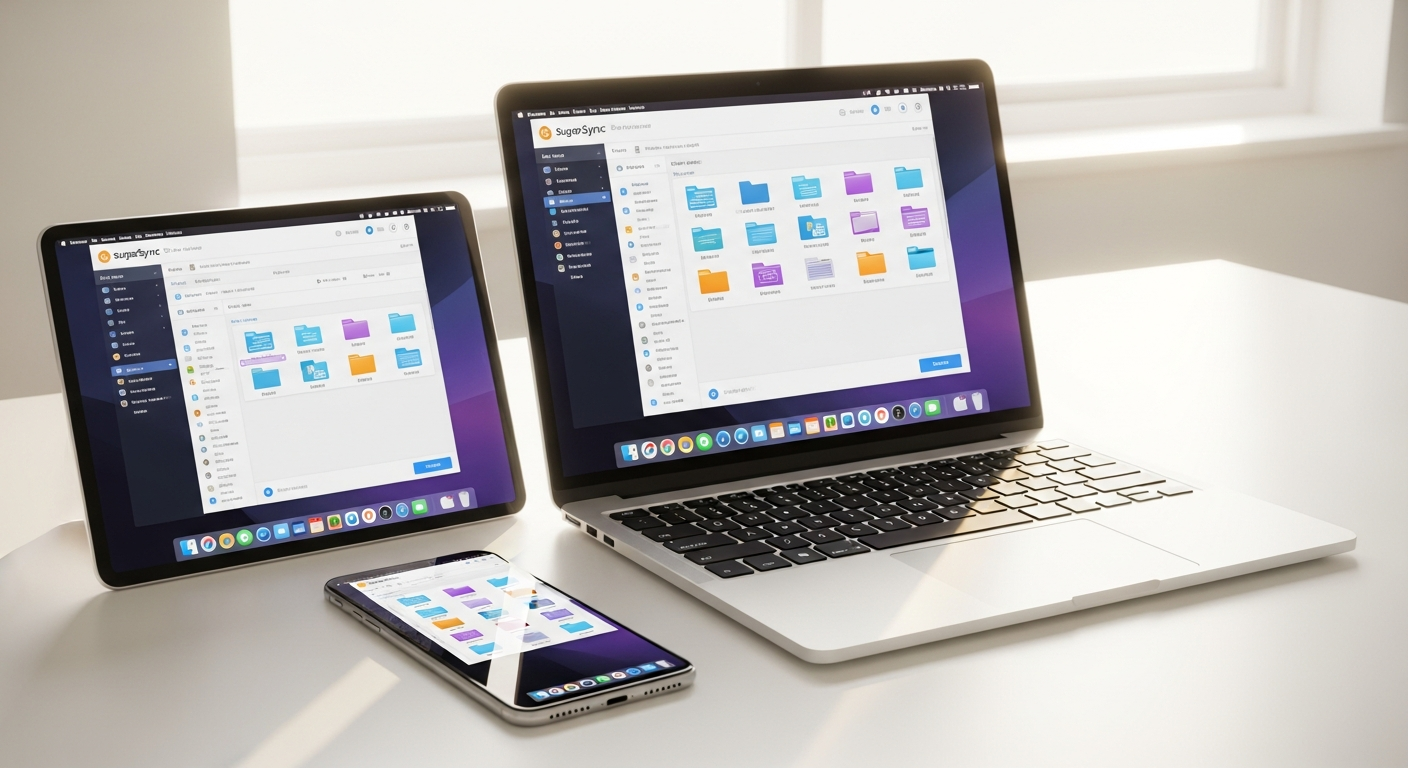
Most cloud storage services force you into a box—literally. You pick one folder, they sync that folder, and you're done. But what if you needed to sync your Documents folder, your Creative Projects folder, and your Client Work folder all from different locations on your computer? That's where SugarSync breaks the mold, and it's why I wanted to take a closer look at whether their 250GB plan actually justifies the premium pricing.
SugarSync has quietly built a reputation as the flexible alternative to mainstream cloud storage providers. While Dropbox and Google Drive dominate the conversation, SugarSync has carved out a niche by letting users sync any folder they want—not just a single designated cloud folder. This matters because real workflows are messy. Your files aren't neatly organized in one place, and forcing them there creates friction.
Discover if SugarSync's flexible syncing is right for your workflow.
How SugarSync's Multi-Folder Syncing Changes the Game
The core strength of SugarSync lies in its fundamental approach to file synchronization. Unlike competitors that restrict you to a single cloud folder, SugarSync lets you sync unlimited folders from anywhere on your computer. This means your Documents, Creative Projects, and Client Work folders can all sync independently, each maintaining their own folder structure and organization.
Real-time synchronization ensures that any changes made on one device are instantly reflected across all connected devices and in the cloud. When you modify a file on your laptop, that change propagates to your desktop, tablet, and phone within seconds. This automatic updating removes the guesswork from version management and eliminates the frustration of working with outdated files.
The folder-level flexibility transforms how you organize files across personal, professional, and project-specific categories. Rather than forcing everything into a rigid structure, SugarSync adapts to how you actually work. You gain selective sync options too—the ability to control which folders upload to the cloud and which remain local. This proves invaluable when managing sensitive projects or large media files that shouldn't clutter your cloud storage.
Compared to competitors' workarounds and single-folder limitations, SugarSync's approach feels fundamentally different. Other services require you to move files into their designated folder or use symlinks and workarounds. SugarSync simply syncs what you tell it to sync, reducing friction and complexity.
Security Architecture: Banking-Grade Protection or Marketing Speak?
SugarSync employs AES-256 encryption during file transmission and at rest in their data centers. This military-grade encryption standard protects your data from interception and unauthorized access. However, it's important to understand what this means and doesn't mean.
The encryption methodology protects data in transit and storage, but this isn't zero-knowledge encryption. SugarSync retains the encryption keys on their servers, meaning they theoretically could access your files if compelled to do so. If zero-knowledge encryption is a requirement for your workflow, this represents a meaningful gap compared to alternatives like Tresorit or Sync.com.
Data protection standards and compliance certifications demonstrate SugarSync's commitment to security infrastructure. The service includes remote device wipe functionality for lost or stolen devices—a practical security feature that gives you peace of mind if hardware goes missing. Password protection and account security features provide baseline defense against unauthorized access.
The honest assessment here is straightforward: SugarSync offers solid, conventional security that protects against most threats, but it doesn't offer the absolute privacy guarantee of zero-knowledge services. For most users, the security is more than adequate. For those handling highly sensitive information, the encryption methodology warrants consideration.
Pricing Breakdown: Is 250GB Worth $9.99/Month?
The 250GB plan costs $9.99 per month, positioning itself in the mid-range of SugarSync's personal offerings. The 100GB plan runs $7.49/month for lighter users, while the 500GB plan extends to $18.95/month for those needing greater capacity. Business plans start at $55/month for 1TB with multiple user support.
A 30-day free trial lets you test the service before committing financially. This matters because actual usage patterns often differ from expectations.
Cost comparison with competitors reveals the pricing reality. Google Drive offers 200GB for $9.99/month but lacks SugarSync's multi-folder syncing. Dropbox charges $11.99/month for 2TB but restricts syncing to a single folder without workarounds. OneDrive from Microsoft provides 100GB for $1.99/month, though with more limited synchronization flexibility. iCloud+ offers 200GB for $2.99/month but works primarily within the Apple ecosystem.
The value assessment depends entirely on what you're purchasing. If multi-folder syncing is essential to your workflow, the 250GB plan delivers features competitors charge more for or don't offer at all. If you primarily need cloud backup with minimal folder complexity, cheaper alternatives exist.
Start your 30-day free trial to evaluate SugarSync's pricing value for yourself.
Mobile Access and Cross-Device Synchronization
SugarSync provides dedicated iOS and Android applications that extend your file ecosystem to mobile devices. These apps enable full file management capabilities—browsing, organizing, and editing files directly from your phone or tablet.
Automatic video upload functionality proves particularly useful for those capturing content on mobile devices. Videos sync to your synced folders automatically, eliminating the manual transfer step and ensuring nothing gets lost. Streaming files between devices without downloading conserves storage space on mobile devices while maintaining access to your complete file library.
Mobile-to-desktop file accessibility creates seamless workflows. You can access files synced from your desktop on your phone during the day, then return to your desktop with confidence that all mobile changes have propagated back. This bidirectional synchronization removes device boundaries from your work process.
Offline access and syncing when reconnected provides functionality for situations without internet connectivity. You can work on files locally, and when your connection returns, SugarSync automatically syncs changes across your devices. For remote workers and travelers, this flexibility proves invaluable.
Performance in Real-World Use: What Users Actually Experience
The desktop application demonstrates solid speed and responsiveness during active syncing. Files transfer reliably, and the UI responds quickly to user interaction. Many users appreciate the polished appearance and straightforward interface.
The browser interface, however, receives more criticism. Users frequently report slowness and clunkiness compared to desktop experiences, particularly when managing large numbers of files. Navigation feels dated, and performance lags when handling substantial uploads or downloads.
CPU and memory usage during active syncing varies by system. Some users report efficient resource consumption, while others note higher than expected CPU activity during ongoing synchronization, particularly with large folder structures.
Occasional syncing issues surface in user reports, though these appear relatively infrequent for most users. When they occur, they typically resolve quickly, but reliability concerns do emerge in some use cases. Performance comparisons with faster alternatives like Dropbox show SugarSync holding its own for most workflows, though some users report marginally slower speeds in specific scenarios.
File restoration and version history functionality works effectively. You can retrieve previous versions of files, recovering from accidental deletions or unwanted changes. The restoration process is straightforward and reliable.
Collaboration and Sharing Features
SugarSync includes online editing and collaboration tools that enable multiple users to work on documents simultaneously. These capabilities facilitate teamwork without requiring users to leave the SugarSync interface.
File sharing options exist but have limitations compared to market leaders. You can share files and folders with specific users, but the granularity of permission controls feels less flexible than Dropbox or Google Drive offer. Some users find sharing workflows more cumbersome than expected.
Team collaboration capabilities are present but not the service's primary strength. SugarSync optimizes for individual file management and cross-device syncing rather than team-centric features. Organizations prioritizing collaborative workflows might find other platforms more aligned with their needs.
Version control and previous file restoration provide solid backup protection. The ability to restore files to earlier states adds safety for content creators and anyone managing important documents.
Sharing permission controls let you specify who can view, edit, or download shared files, though the implementation feels less intuitive than competing services.
Integration with other productivity tools remains limited. SugarSync doesn't deeply integrate with Office 365, Google Workspace, or other popular productivity suites the way Dropbox or OneDrive do.
The Honest Drawbacks: Where SugarSync Falls Short
Premium pricing criticism surfaces frequently in user feedback. The service costs more than many competitors offering similar or greater storage capacity. Some users describe it as "far too expensive," particularly when comparing storage-per-dollar to alternatives.
The absence of a permanent free plan removes a low-risk entry point for potential users. The 30-day trial requires commitment to evaluate the service, which creates friction for casual exploration.
The clunky or slow browser interface represents a genuine weakness. For users who primarily access files through browsers rather than desktop applications, this deficiency impacts the overall experience significantly.
Limited sharing options compared to competitors restrict collaboration workflows. Users expecting Dropbox-level sharing flexibility may feel constrained by SugarSync's more basic approach.
The lack of client-side encryption means SugarSync doesn't offer zero-knowledge privacy that some competing services provide. For privacy-focused users or those handling regulated data, this gap matters substantially.
Occasional performance hiccups and sync delays appear in user reports, though these don't represent the norm. When they occur, they typically resolve independently, but reliability questions do persist for some users.
High CPU and memory consumption on certain systems creates performance overhead. Users with older computers or resource-constrained devices might notice system slowdowns during active syncing.
Who Should (and Shouldn't) Choose SugarSync
Ideal users include those with multi-folder syncing needs who work across multiple devices regularly. Creative professionals managing various project folders benefit significantly from SugarSync's flexibility. Consultants juggling multiple client folders find the selective sync options particularly valuable. Remote workers with complex file structures across personal and professional work gain productivity improvements from eliminating folder organization friction.
Best use cases align with workflows where files naturally exist in different locations on your computer rather than consolidated in a single folder. Photographers managing camera rolls, edit projects, and client deliverables separately experience clear value. Writers maintaining manuscript folders, research folders, and publication folders gain benefits from independent syncing.
SugarSync isn't recommended for budget-conscious users without specific multi-folder requirements. Those needing zero-knowledge encryption should look elsewhere. Heavy collaborators expecting sophisticated team features will find other platforms better aligned with their needs.
A comparison matrix reveals when SugarSync wins: multi-folder syncing, cross-device consistency, and flexible folder management. Competitors win on price, zero-knowledge encryption, advanced collaboration, and feature richness.
The decision framework involves asking yourself several questions: Do you genuinely need to sync multiple folders? Does your workflow involve constantly switching between devices? Is folder management flexibility valuable enough to justify premium pricing? If you answered yes to all three, SugarSync aligns with your needs. If any answer is no, evaluate cheaper alternatives.
The Verdict: Flexible Syncing Comes at a Price
SugarSync's 250GB plan excels at solving a specific problem—syncing multiple folders across devices seamlessly. The security is solid, the mobile apps work well, and the desktop experience is genuinely polished. But here's the reality: you're paying a premium for that flexibility. At $9.99/month, it's not the cheapest option on the market, and the browser interface feels dated compared to slicker competitors.
The real question isn't whether SugarSync is good—it clearly is. The question is whether its strengths align with your actual needs. If you're juggling multiple project folders, working across devices constantly, and value reliable synchronization over cutting-edge features, the 250GB plan delivers. If you're primarily looking for simple cloud backup and want to minimize costs, you'll find better value elsewhere.
The practical next step involves testing the service during the 30-day free trial. That trial period is worth far more than reading reviews because you'll experience whether the multi-folder syncing workflow actually improves your productivity. Your time is valuable, and SugarSync's strength is saving you time—but only if it fits your specific workflow.
Try SugarSync free for 30 days and test if the premium pricing makes sense for your workflow.
Leave a Reply