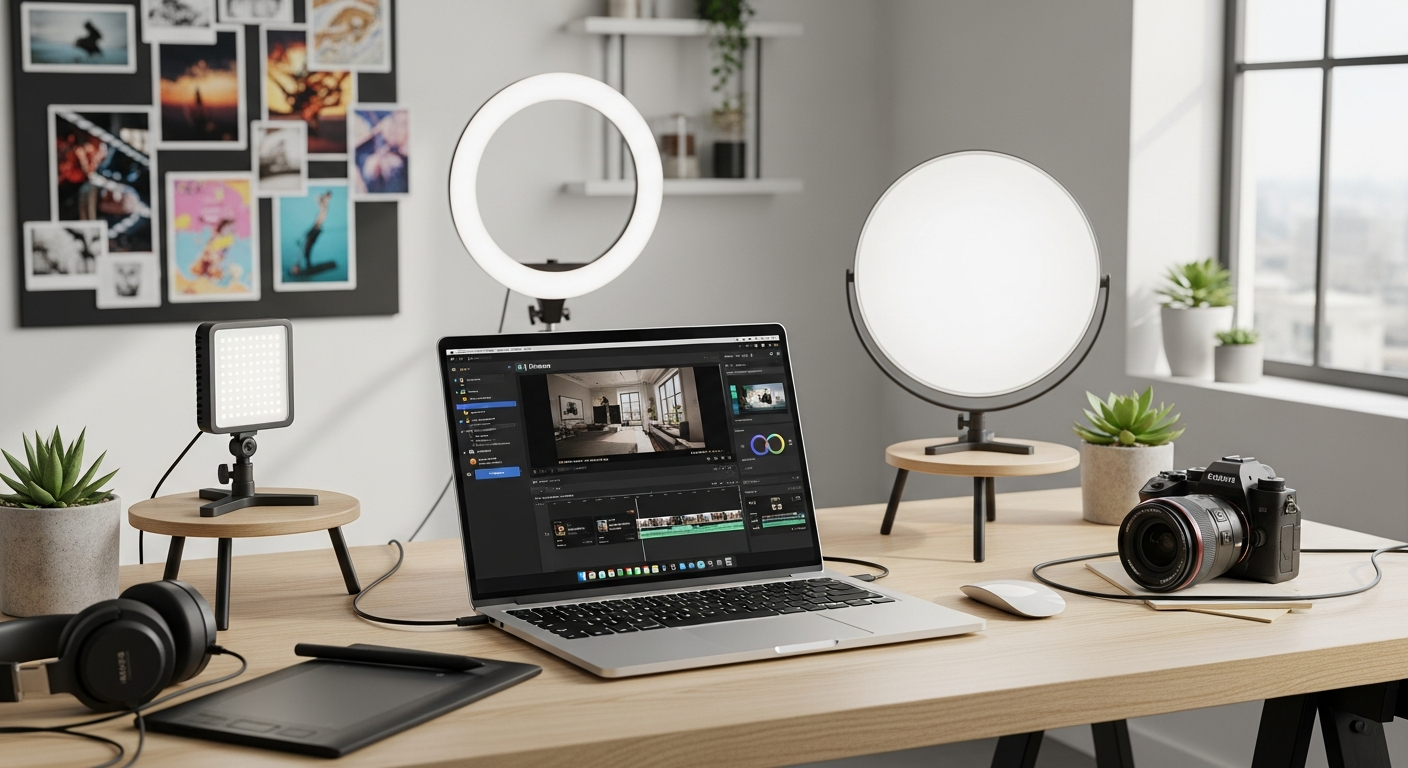
Over 100 million creators worldwide have ditched expensive professional editing suites in favor of more accessible alternatives—and Wondershare Filmora sits at the center of this revolution. The video editing landscape has transformed dramatically over the past few years, with user-friendly software finally catching up to the creative demands of modern content creators. This shift from gatekeeping professional tools to democratizing video production has fundamentally changed what's possible for independent creators, small businesses, and enthusiasts.
Wondershare Filmora represents a pivotal moment in editing software evolution, built specifically for creators who refuse to compromise between ease-of-use and creative capability. The platform combines intuitive design with powerful functionality, making professional-quality video production accessible to anyone with an idea worth sharing. Whether you're producing YouTube content, building your social media presence, or managing video projects for your business, Filmora has positioned itself as the go-to solution for creators operating outside the Adobe and Final Cut Pro ecosystem.
Throughout this guide, I'll walk you through Filmora's AI capabilities that genuinely transform your workflow, break down the real-world performance differences between pricing tiers, and reveal where this software excels versus where you might hit limitations.
Explore Wondershare Filmora's full feature set today.
AI-Powered Features That Accelerate Your Creative Process
Generative AI and Text-Based Editing
Filmora's generative AI capabilities handle the repetitive tasks that consume editing time. Text-based editing lets you edit video by manipulating text transcripts—remove words from your script and the corresponding footage disappears automatically. This feature alone saves countless hours on podcast videos, interviews, and educational content where precision cuts matter less than narrative flow.
AI-Powered Background Music Generation
Creating original background music has always been a challenge for independent creators. Filmora's AI music generation tool produces royalty-free tracks matched to your content's mood and pace. You specify the genre, tempo, and emotional tone, and the AI generates unique compositions without licensing concerns. This eliminates the endless searching through music libraries or the anxiety of copyright strikes.
Motion Tracking and Keyframing Automation
Manual keyframe animation drains energy from your creative process. Filmora's motion tracking automatically follows subjects across frames, and keyframing automation reduces the tedious frame-by-frame adjustments that professional editors spend hours perfecting. The AI analyzes movement patterns and generates smooth transitions between keyframes, dramatically accelerating complex animation work.
AI Credits System and Monthly Capacity
Filmora operates on an AI credits system where each generative feature consumes a certain number of credits monthly. Basic plans include limited credits, while Advanced plans provide expanded monthly allocations. Understanding your content volume matters here—heavy users of AI music generation, text-based editing, and motion tracking will exhaust credits quickly and face upgrade pressure.
Animated Charts and Data Visualization
Business creators and data journalists benefit from Filmora's AI-powered animated charts. Input your data, select visualization styles, and the AI generates dynamic infographics that communicate statistics without flat spreadsheet screenshots. These charts integrate seamlessly with your timeline and support various chart types including line graphs, bar charts, and pie charts.
Limitations of AI Features
AI credit restrictions represent the primary limitation. Monthly credit allocations reset, and exceeding them requires waiting for the next billing cycle or upgrading your plan. Additionally, AI feature quality varies—some generative music outputs sound generic, motion tracking occasionally misidentifies subjects in complex scenes, and text-based editing sometimes removes incorrect segments if transcription accuracy falters.
Competing Software Comparison
Adobe Premiere Pro integrates Firefly generative AI but requires separate Creative Cloud subscription commitment. DaVinci Resolve offers excellent color grading AI but less robust text-based editing capabilities. Filmora's AI implementation feels more integrated into the core editing experience, though less powerful than professional-grade alternatives for specialized tasks.
Multi-Track Editing Power: Handling Complex Projects
100-Video Track Capacity
Filmora's 100-track capacity enables sophisticated layering and compositing that rivals professional suites. You can work with multiple video sources, picture-in-picture effects, overlays, and complex transitions simultaneously. This capacity matters for ambitious creators tackling complex visual narratives without constantly managing track limitations.
Dual-Timeline Editing Interface
The dual-timeline feature allows working on multiple sequences simultaneously. Edit your main narrative on one timeline while assembling B-roll sequences on another, then seamlessly integrate them without rebuilding your entire project structure. This workflow efficiency appeals to creators managing multiple storylines or parallel editing tasks.
360° VR Content Support
For immersive content creators, Filmora's 360° VR support enables editing equirectangular video formats. VR creators can work with specialized video types without requiring separate specialized software, making Filmora suitable for emerging immersive content production.
4K XAVC-S and H.265 Export Capabilities
Filmora handles 4K XAVC-S format compatibility and exports to H.265 (HEVC) codec, supporting modern high-resolution workflows. These technical specifications keep your projects compatible with current broadcast standards and platform requirements.
Pen Tool for Precision Editing
The pen tool enables frame-by-frame adjustments and custom animations. You manually draw animation paths, create custom shapes, or make precise cuts without relying on automated detection. This granular control appeals to animators and creators demanding pixel-perfect precision.
Performance Considerations with 4K
This is where Filmora shows its limitations. 4K projects with extended timelines experience significant rendering slowdowns. Working with multiple 4K tracks simultaneously can cause playback stuttering and timeline lag, especially on mid-range computers. Short-to-medium resolution projects perform smoothly, but ambitious 4K productions require patience.
Real-World Rendering Times
A typical 10-minute YouTube video at 1080p renders in 3-5 minutes on modern hardware. The same project in 4K stretches to 15-30 minutes depending on effects complexity. Extended project timelines multiply these times, making Filmora less ideal for creators working exclusively in 4K who value rapid turnarounds.
Start editing with Wondershare Filmora's powerful multi-track capabilities.
The Extensive Effects and Templates Library
Comprehensive Transition Catalog
Filmora maintains an impressive collection of transitions spanning contemporary styles and classic techniques. From simple crossfades to elaborate 3D transitions, the library covers most editing scenarios. Regular updates add trending transition styles aligned with current content trends.
Effects and Overlay System
The effects overlay system provides color grading, visual effects, and stylistic enhancements. These effects range from simple color correction to complex distortion effects. Applying effects is straightforward—select your clip, browse the effects library, and drag-and-drop your selection. Real-time preview shows the effect before applying it.
Pre-Built Templates Accelerating Project Setup
Templates significantly reduce setup time for common content types. YouTube intro templates, social media video templates, and podcast formats provide starting points for different creators. Templates include placeholder text, sample transitions, and suggested color schemes—you add your footage and adjust timing.
Premium Asset Paywalls
Here's where frustration accumulates. While standard effects and transitions are included, many premium templates, effects, and music tracks sit behind additional paywalls even after purchasing your subscription. A template for an Instagram Reels intro might cost an extra $2-5. Creators producing high volumes of content can accumulate significant additional expenses.
Customization Within Pre-Made Templates
Templates aren't restrictive boxes—you can modify colors, adjust timing, swap elements, and customize layouts extensively. This depth lets you adapt templates to personal branding without requiring custom template creation from scratch.
Royalty-Free Music and Sound Effects
Filmora includes access to royalty-free music and sound effects. The library isn't enormous compared to specialized music services, but adequate for most creators. New tracks and effects add regularly, keeping the library fresh.
Library Updates Following Trending Styles
Updates introduce effects aligned with current trends—when a particular transition style trends on TikTok, Filmora typically adds similar variations within weeks. This responsiveness to creator demands keeps the platform relevant for trend-focused content.
Pricing Tiers Explained: Finding Your Perfect Plan
Monthly Plan at $8.99
The monthly plan ($8.99) suits casual creators testing the software. This no-commitment option lets you explore the interface, experiment with features, and determine if Filmora fits your workflow without long-term financial risk. Monthly plans include limited AI credits and standard library access.
Basic Annual Subscription ($49.99–$59.99)
Annual Basic plans reduce the monthly cost to approximately $4-5 monthly. Basic plans cover essential editing needs including core editing tools, standard effects library, and limited AI credits. This tier targets creators who edit regularly but don't require advanced features.
Advanced Annual Plan ($69.99)
The Advanced tier includes expanded AI credits and cloud storage integration. You get 3x the monthly AI credits compared to Basic plans, plus 100GB of cloud storage for project backup. This suits creators relying heavily on AI features like background music generation and motion tracking.
Perpetual License ($79.99)
The perpetual license provides one-time payment access to Filmora. However, perpetual licenses include fewer AI credits monthly and receive only minor updates compared to annual subscriptions. You own the software permanently, but annual subscribers receive priority for new feature rollouts.
Hidden Costs and Premium Feature Paywalls
Beyond subscription costs, premium templates typically cost $2-5 each. Popular effects sometimes require separate purchases. Music tracks occasionally cost additional fees beyond included library access. A creator producing 20 videos monthly could easily spend $20-40 extra on premium assets beyond their subscription cost.
AI Credit Consumption Rates
Background music generation consumes 5-10 credits per track. Text-based editing costs 2-3 credits per minute of footage. Motion tracking expenses vary based on complexity. Basic plan users (typically 30 credits monthly) exhaust allocations quickly with heavy AI feature use, forcing upgrade decisions mid-project.
Cost-Per-Feature Analysis
Adobe Premiere Pro costs $54.99 monthly (or $20.99 for Photography plan including Lightroom), requiring annual commitment. Final Cut Pro requires $299.99 one-time purchase. DaVinci Resolve offers free tier with paid Studio at $295. Filmora's Annual Basic at ~$50 yearly positions it as significantly cheaper, but premium asset purchases narrow the gap.
Cross-Platform Flexibility: Edit Anywhere, Anytime
Windows and Mac Desktop Support
Filmora runs natively on Windows and macOS, supporting traditional editing workflows. System requirements are modest—most computers purchased within the last 5 years handle Filmora comfortably. This broad compatibility appeals to creators unwilling to commit to Apple's ecosystem.
iOS and Android Mobile Applications
Mobile apps enable on-the-go editing and project management. Import footage directly from your phone, trim clips, add transitions, and export videos without desktop software. Mobile editing isn't full-featured compared to desktop versions but handles basic editing tasks and emergency fixes.
Cloud Synchronization Between Devices
Projects sync across devices when you enable cloud backup. Start editing on desktop, continue on tablet, and finalize on mobile without manually transferring files. This seamless synchronization appeals to creators with flexible work environments.
File Format Support Across Platforms
Filmora supports standard video formats across platforms including MP4, MOV, AVI, and MKV. Audio formats include MP3, WAV, and AAC. This broad compatibility means you're not restricted to proprietary formats or platform-specific requirements.
Performance Optimization for Mobile
Mobile performance lags behind desktop capabilities. Complex projects with many tracks and effects experience slowdowns on phones. Mobile editing works best for single-camera footage with basic transitions and effects rather than ambitious multi-track compositions.
Offline Editing and Cloud Storage
You can edit offline and sync when reconnected to internet. Cloud storage varies by plan—Basic plans include limited storage while Advanced plans include 100GB. This hybrid approach balances local control with cloud convenience.
Device Switching and Project Continuity
Projects transfer seamlessly between devices when synced. You might export a rough cut on your phone during lunch, then refine it on desktop in the evening. This flexibility suits creators with nomadic workflows or split editing across locations.
Where Filmora Shines: Ideal Use Cases
YouTube Content Creators
Weekly video producers benefit tremendously from Filmora's fast rendering for short-to-medium projects, extensive templates, and affordable pricing. YouTube creators can produce weekly uploads without professional-grade overhead. The AI features accelerate intro/outro generation, and the effects library provides trendy visual elements that boost viewer engagement.
TikTok and Short-Form Video Creators
TikTok creators leverage Filmora's templates specifically designed for vertical video formats. The effects library aligns with trending audio and visual styles. Quick turnaround times make Filmora ideal for creators uploading multiple daily videos across platforms. Mobile editing capabilities support content creation anywhere.
Small Business Marketing Teams
Marketing departments creating product demos, promotional videos, and social media content find Filmora's simplicity and template library indispensable. Non-technical team members can produce professional-looking content without extensive training. The affordable pricing justifies adoption across team members.
Podcast Video Creators
Podcast creators adding visual elements to audio content use Filmora's text-based editing and animated chart features extensively. The AI transcript editing feature aligns perfectly with podcast workflows—import audio, generate video transcript, make cuts via text editing, and export video. This workflow transforms audio-only content into video format efficiently.
Social Media Managers
Batch-creating content across multiple platforms suits Filmora's template system and multi-format export capabilities. Social media managers working with tight deadlines and numerous video variations find Filmora's efficiency appealing.
Beginner Filmmakers
Newcomers to video editing find Filmora's intuitive interface non-intimidating. The interface avoids overwhelming beginners with unnecessary complexity while providing access to sophisticated features. Tutorial resources and community forums support the learning curve without requiring professional training courses.
Event Videographers
Wedding videographers, corporate event videographers, and similar professionals quickly edit client footage with professional polish. Templates for common event types accelerate editing, and the effects library provides the emotional enhancements clients expect.
Recognizing the Limitations: When Filmora Falls Short
4K Rendering Performance Degradation
Projects incorporating multiple 4K tracks or extended timelines experience significant rendering slowdowns. A 30-minute 4K project can render in 45 minutes or longer, making tight deadlines challenging. Professionals working exclusively in 4K should consider alternatives prioritizing performance.
Fine-Tuning Limitations
Filmora prioritizes ease-of-use over granular control. Advanced color grading lacks the fine control DaVinci Resolve provides. Audio mixing capabilities remain basic compared to dedicated DAWs. Creators demanding pixel-perfect control over specific parameters will find Filmora restrictive.
AI Feature Inconsistencies
AI-generated music sometimes produces generic or unmemorable compositions. Motion tracking occasionally misidentifies subjects in complex scenes with occlusion or rapid movement. Text-based editing struggles with strong accents or background noise affecting transcription accuracy. These inconsistencies require manual fixes, negating efficiency gains.
Premium Feature Accessibility
The paywall structure frustrates budget-conscious users. After purchasing an annual subscription, encountering paywalls for templates and premium effects feels extractive. This nickel-and-dime approach contradicts Filmora's affordability positioning.
Color Grading Precision
Color grading tools lack the advanced color science of professional software. The color wheel interface works for basic adjustments but doesn't match DaVinci Resolve's capabilities. Creators prioritizing color grading should supplement Filmora with additional color grading tools.
Audio Mixing Capabilities
Audio mixing remains basic. Multi-track audio editing is possible but lacks the automation, plugin support, and precision mixing tools found in DAWs. Creators producing complex audio mixes should use dedicated audio software.
Motion Graphics Limitations
Complex motion graphics and sophisticated animation work exceed Filmora's capabilities. The animation tools handle basic keyframing and motion tracking but lack the extensibility of After Effects. Motion designers should consider professional alternatives.
Getting Started: Your First Steps with Filmora
Installation Across Platforms
Download Filmora from the official website for Windows or Mac. Mobile apps install from App Store or Google Play. Installation is straightforward—the installer includes optional bundled software you can deselect. Expect 2-3GB storage requirements for desktop versions.
Interface Navigation and Workspace Customization
The main interface divides into timeline, preview window, and effects panel. You can customize panel layouts, hide unused sections, and arrange workspaces for specific editing types. First-time users benefit from the built-in interface tour accessible from the Help menu.
Import Workflows
Drag-and-drop footage directly into the media library or import via the File menu. Filmora supports batch import—select multiple files simultaneously to populate your library quickly. Timeline editing involves dragging clips into the timeline and arranging them sequentially.
Tutorial Resources and Learning Curve
Filmora provides extensive built-in tutorials covering core functions. The learning curve is gentle—most users edit their first video within 30 minutes of opening the software. YouTube contains countless Filmora tutorials for specific techniques beyond the basics.
Customer Support Channels
Wondershare offers email support and maintains community forums where users share tips and troubleshoot issues. Response times for support queries typically range from 24-48 hours. Community forums often provide faster answers from experienced users.
Trial Period Utilization
Download the free trial before committing financially. The trial includes most features except cloud storage and includes watermarks on exported videos. The trial period accommodates testing your workflow thoroughly and confirming compatibility with your editing style.
Starting with Project Templates
Beginning with a template rather than blank projects accelerates learning. Templates demonstrate how experienced creators structure projects. You can modify templates extensively, which teaches interface mechanics while producing finished videos.
Making Your Final Decision: Is Wondershare Filmora Right for You?
Wondershare Filmora occupies a unique sweet spot in the video editing landscape—powerful enough for serious creators, accessible enough for complete beginners, yet affordable enough that you won't feel buyer's remorse. The AI-powered features genuinely accelerate your workflow, the 100-track capacity handles ambitious projects, and the cross-platform flexibility means you're never tethered to a single device.
Your decision ultimately hinges on your specific needs. YouTube creators, social media managers, and content teams will find tremendous value at Filmora's price point. The software handles the editing demands of these workflows efficiently while maintaining affordability that doesn't strain budgets. The AI features provide legitimate workflow acceleration rather than gimmicks, and the template library jumpstarts projects across common content types.
However, Filmora isn't a universal solution. If you're pushing 4K rendering limits regularly, need professional-grade color grading, or demand granular control over every parameter, you'll eventually outgrow it. Professional color graders, motion graphics designers, and advanced audio mixers will find Filmora insufficient for their specialization. Similarly, high-volume 4K producers prioritizing rendering speed should evaluate alternatives.
The path forward is straightforward. Start with the monthly plan at $8.99 to test the interface, explore the AI features, and confirm it matches your workflow before committing to an annual subscription.
Leave a Reply