Introduction
Parents face a genuine dilemma in today's connected world. Over 60% worry about their child's safety when away from home, yet nearly 40% of children ages 8-12 simply aren't ready for a full smartphone. This gap creates real anxiety—parents want to stay connected to their kids without handing them unrestricted access to the internet, social media, and all the complications that come with it.
The Xplora X6Play bridges that tension perfectly. It's a smartwatch solution built from the ground up with child safety and parental peace of mind in mind, combining GPS tracking, controlled communication, and physical activity incentives in a single water-resistant package that kids actually want to wear. Unlike generic fitness watches repurposed for children, the second-generation X6Play was designed with a specific purpose: giving children independence while keeping parents informed.
This guide breaks down everything you need to know about the X6Play—from impressive technical specs and safety features to real-world setup challenges and whether the investment makes sense for your family. You'll discover how the GoPlay activity platform motivates kids to move more, what the parental control app actually delivers, and the honest trade-offs worth considering before purchasing.
Check the Xplora X6Play's current availability and pricing
Why Parents Are Choosing the Xplora X6Play Over Traditional Smartwatches
The gap between basic fitness watches and full smartphones—and why the X6Play fills it
Basic fitness watches track steps and display time. Full smartphones offer everything—messaging apps, social media, web browsing, and countless distractions. The X6Play occupies the intelligent middle ground. It provides genuine communication capabilities and safety features without the digital noise that concerns modern parents. Kids get a device that feels meaningful, while parents retain meaningful oversight.
How parental controls prevent unauthorized contact while maintaining communication
The X6Play enforces a whitelist model: only pre-approved contacts can reach your child. Parents manage this list through a dedicated app, deciding precisely who can call or message. This approach eliminates the anxiety of strangers contacting your child while preserving the ability for grandparents, coaches, and trusted adults to connect. Communication happens on your terms, not on whoever manages to get your child's contact information.
GPS tracking and Safe Zone alerts that work in real-world scenarios
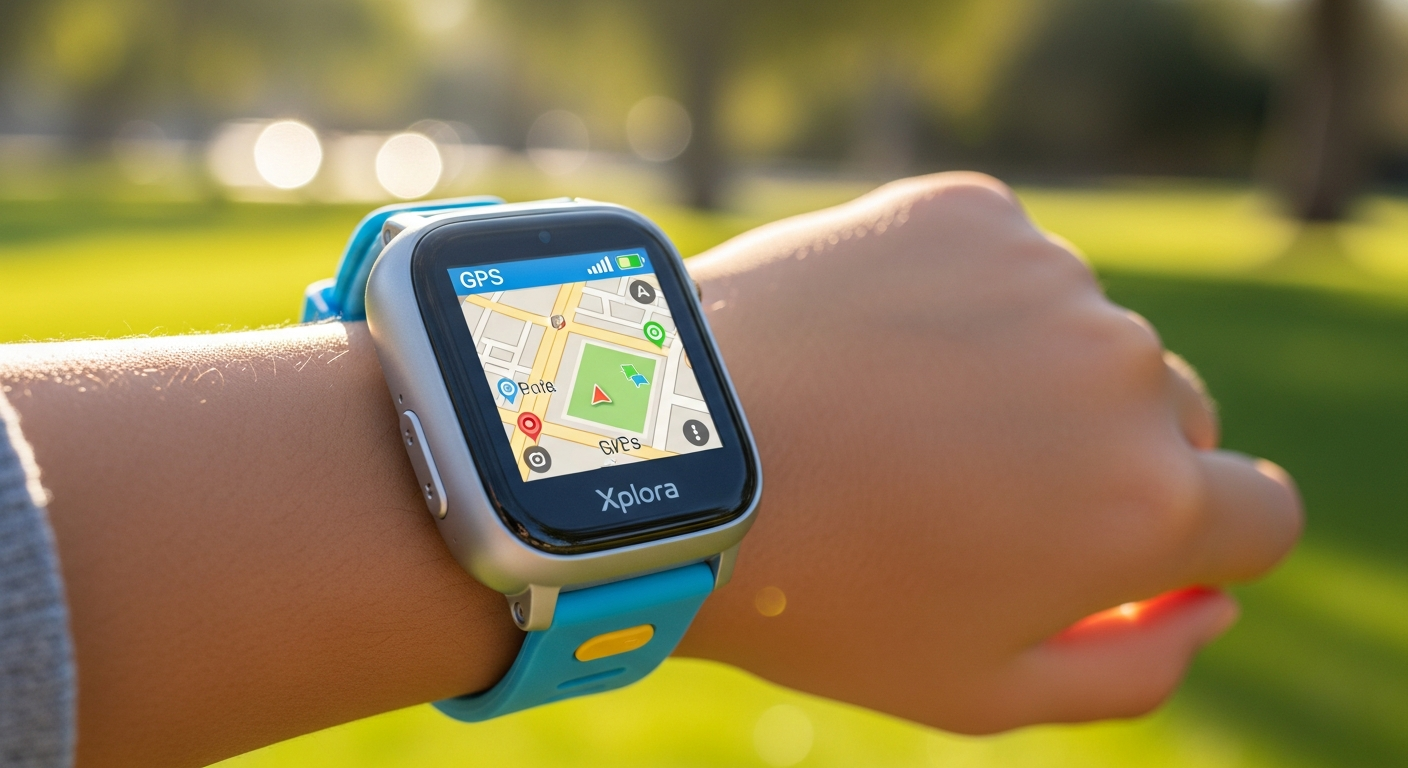
Real-time location tracking is built into the watch's core functionality. More importantly, Safe Zones use geofencing technology to alert parents when their child enters or leaves designated areas—home, school, a friend's house, sports facilities. The map visualization in the parent app shows location history, giving context to where your child has been throughout the day. Parents report that this feature significantly reduces anxiety during after-school activities and weekend adventures.
The absence of internet, social media, and unfiltered content exposure
The watch simply doesn't connect to the broader internet. Your child cannot browse websites, check social media, or encounter unfiltered content. This intentional limitation removes entire categories of parental concern. Kids get a communication tool without becoming another screen consuming their attention or exposing them to inappropriate material.
Comparison to predecessor models (X5 Play, XGO3) and what's improved
The X6Play advances meaningfully over the X5 Play and XGO3. The 1.52-inch high-resolution TFT display feels more responsive, animations run smoothly, and the 1.2GHz processor with Qualcomm 2500 chipset delivers noticeably faster performance. Battery life compares favorably to predecessors, and the addition of elastic textile strap options (on the 2nd generation) addresses durability concerns from earlier models.
Why premium pricing ($169.99) reflects the feature depth and safety focus
The X6Play costs $169.99 without a contract—more than basic children's watches but significantly less than a smartphone. Parents who invest in the X6Play often note that the price reflects genuine engineering around child safety. This isn't a repackaged adult device; it's purpose-built hardware running thoughtful software. The investment covers robust parental controls, reliable GPS, and an activity platform designed specifically for younger users.
Real parent testimonials about reduced anxiety and increased child independence
Parents using the X6Play consistently report two outcomes: reduced anxiety about their child's safety and a tangible increase in independence they feel comfortable granting. One parent noted that their 10-year-old could walk to school without constant worry; another mentioned that the GoPlay rewards made their child actually want to go outside rather than asking to stay home. The device creates trust between parent and child by establishing clear boundaries and transparent communication.
Core Safety Features That Actually Protect Your Child
Real-time GPS location tracking with map visualization in the parent app
The GPS tracking isn't aspirational—it works. When your child wears the X6Play, the parent app displays their current location on a map. The watch updates position regularly, creating a location history you can review. Parents appreciate being able to see not just where their child is right now, but where they've traveled throughout the day. This feature proves particularly valuable when children begin navigating longer distances independently.
Safe Zone creation: how geofencing alerts work when kids enter or leave designated areas
Safe Zones represent geofencing at its practical best. You draw virtual boundaries around your home, school, a friend's house, or anywhere your child regularly goes. When the watch enters or exits these zones, the parent app immediately notifies you. This means you'll know when your child arrives at school, leaves the park, or reaches home—without needing to ask. The system works automatically and continuously, providing passive oversight that requires no action from your child.
Pre-approved contact lists: controlling who can call and message your child
Every contact your child can reach goes through you first. You decide whether grandparents, coaches, close friends' parents, and emergency numbers appear on the contact list. This whitelist approach means your child can call people you trust, but strangers or unwanted contacts cannot reach them. Managing the list takes minutes through the parent app, and you can adjust it as your child's social circle or schedule changes.
No keyboard, no typing—only pre-determined message options for simplified communication
The X6Play doesn't allow free-form text messaging or typing. Instead, children send pre-set messages: "I'm on my way home," "I'm at soccer practice," "I need help." This limitation removes the distraction of endless typing and the anxiety of your child receiving messages from unknown sources. Communication becomes functional and focused on essential coordination rather than social texting.
School Mode activation: limiting notifications and calls during class hours
School Mode silences notifications and restricts incoming calls during designated hours. You set the schedule through the parent app—for example, 8 AM to 3 PM on weekdays—and the watch becomes essentially dormant for non-emergency communication. Kids can focus on learning without the watch vibrating in their pocket. Emergency contacts can still break through if necessary, but routine notifications simply wait until school ends.
How voice calling works with parental oversight and contact restrictions
Voice calling happens only with approved contacts. Your child holds the watch to their ear or uses the speaker function to communicate. Parents hear about incoming and outgoing calls through the app, creating transparency without invasiveness. Children learn to use voice communication in age-appropriate ways while remaining within boundaries you've established.
Emergency SOS functionality and quick-access parent contact buttons
The watch includes SOS features that let children quickly reach their parent or primary emergency contact. Rather than fumbling with numbers or remembering sequences, a long press or dedicated button initiates an immediate call to you. This straightforward emergency access provides genuine peace of mind for both parent and child.
Transparency features: what data parents can monitor and how often it updates
The parent app displays location, contact activity, message history, and GoPlay activity metrics. Updates occur regularly throughout the day, giving you a clear picture of your child's movements and communication without overwhelming detail. You see what matters—where they are, who they've communicated with, and how active they've been—without unnecessary granularity.
Explore the Xplora X6Play's safety features in detail
Communication & Connectivity: What Your Child Can Actually Do
Voice calling capabilities with approved contacts only
Your child can initiate voice calls to any contact on their approved list. The watch functions as a real telephone—no time limits, no restrictions on duration, just straightforward calling. This gives children the ability to reach parents, siblings, or trusted adults whenever they need to, without the formality of text messages or the delayed response time of messaging apps.
Audio and video message sending/receiving (one-way video from the 5MP camera)
Beyond voice calling, the X6Play supports audio messages and video messages. The 5MP front-facing camera captures short videos that children can send to approved contacts. However, this is intentionally one-way—children can send video messages, but the watch doesn't support video calls where they're speaking face-to-face in real-time with someone on their contact list.
Why there's no video calling despite the built-in camera
The designers made a conscious choice: video calling would extend screen time and complicate what should be a simple safety device. The camera exists for capturing moments and sending quick videos to parents (like showing you what they're doing at soccer practice), but true video calling would shift the watch toward entertainment and social connection rather than its core purpose of safety and coordination.
Message limitations: pre-set responses rather than free-form texting
Children cannot compose arbitrary messages. Instead, they select from pre-determined options that parents can customize through the app. This might include "I'm at school," "I'm playing outside," "I'm heading home," or similar context-appropriate messages. The limitation eliminates the distraction of typing and ensures communication remains functional rather than social.
SIM card requirements and cellular connectivity setup process
The X6Play requires a nano-SIM card for cellular connectivity. You'll need to activate service before first use—the watch won't function as a communication device without an active SIM. The setup process involves inserting the SIM and completing activation through the parent app. Most carriers offer compatible plans, and the process is straightforward once you understand the requirement.
Monthly subscription costs ($12-$15) and what's included in the service
Beyond the initial hardware cost, the X6Play requires a monthly subscription for cellular connectivity. Plans typically range from $12-$15 per month with no activation fees, hidden charges, or early termination penalties. The subscription covers unlimited voice calling and messaging through the watch, plus cloud storage for location history and activity data.
USB charging specifications and battery longevity expectations
The watch charges via USB port—a standard, convenient approach. Battery longevity depends on usage patterns. With typical use—voice calls, regular location updates, and GoPlay activity tracking—most parents report the X6Play lasting a full day or slightly longer. Heavy communication use or constant GPS tracking may require charging every evening, while lighter usage might stretch to a day and a half.
Connectivity reliability in urban, suburban, and rural areas
Connectivity follows standard cellular patterns: urban and suburban areas typically see reliable service, while remote rural locations may experience gaps. The watch connects to whatever cellular networks support the SIM card you're using, so reliability matches your local carrier's coverage. Most families report that connectivity works well where they live and spend time regularly.
The GoPlay Activity Platform: Turning Steps Into Rewards
How GoPlay gamifies physical activity for children
GoPlay transforms movement into achievement. The watch tracks steps and physical activity, translating them into progress toward goals and unlocking rewards. Children see their activity quantified and rewarded—not as abstract health metrics, but as points toward badges and achievements they care about. This gamification psychology consistently motivates children to move more than standard activity tracking alone.
Step-counting mechanics and how the watch tracks movement
The accelerometer in the X6Play counts steps accurately throughout the day. The watch recognizes different types of movement and translates total activity into step counts. Rather than requiring children to consciously "exercise," GoPlay rewards everyday activity—walking to school, playing at recess, riding bikes with friends, or swimming at the pool.
Reward system: badges, achievements, and progress tracking
GoPlay awards badges and achievements for reaching activity milestones. Your child might unlock a badge for 5,000 steps in a day, another for consistent activity across a week, or special achievements for particular activity types. The system creates ongoing goals without becoming overwhelming. Progress tracking shows trends over time, helping children understand their activity patterns and celebrate improvements.
Parental visibility into activity data and goal-setting options
The parent app displays your child's activity data and GoPlay achievements. You can see how active they've been, which goals they're working toward, and how their activity changes across seasons or as their interests evolve. Many parents use this information to support their child's activity goals—suggesting a bike ride when activity is low, or celebrating milestones together.
Integration with the parent app: monitoring activity trends over time
GoPlay data integrates seamlessly into the parent app's dashboard. You see activity trends displayed over days, weeks, and months. This broader perspective helps identify patterns: whether your child is more active during certain seasons, how activity changes with school or sports schedules, and whether they're meeting reasonable activity goals for their age.
Motivational psychology: why kids engage with the reward structure
GoPlay taps into children's natural drive for achievement and recognition. Points, badges, and progress bars are psychologically engaging for developing brains. Importantly, the reward structure encourages intrinsic motivation—children start moving more because they want to, not because parents are forcing activity. Over time, the increased activity itself becomes rewarding (and healthy).
Competition features: comparing activity with other X6Play users
GoPlay includes optional social features where children can see how their activity compares to other X6Play users. This friendly competition motivates many kids—not from pressure, but from the natural impulse to match or exceed peers' activity levels. Parents can enable or disable these social features based on their comfort level.
Real-world examples of how GoPlay encourages outdoor play and reduces screen time
Parents consistently report that GoPlay works. Children who might otherwise ask to stay inside gaming instead ask to go for a walk, ride bikes, or play outside—because outside activity translates to points and badges. One parent described their 9-year-old spending an extra hour outdoors daily because of GoPlay. Another noted a marked decrease in screen time complaints when the alternative—outdoor activity—brought tangible rewards.
Design, Durability & Customization Options
High-resolution 1.52-inch TFT display with smooth animations
The 1.52-inch TFT screen displays information clearly without being oversized for smaller wrists. The resolution supports the high-resolution graphics and animations that make the interface feel responsive and engaging. Unlike low-resolution children's gadgets, the X6Play's display feels modern and refined.
1.2GHz processor and Qualcomm 2500 chipset performance in daily use
The processor handles what the watch actually does without lag or delays. Opening the contact list, checking location in the parent app, or receiving a voice call all happen smoothly. The chipset was specifically chosen for efficiency—maintaining performance while preserving battery life.
Water-resistance rating and suitability for swimming, sports, and water play
The X6Play is water-resistant, making it suitable for active children who play sports, swim, or splash in water. It's designed to handle accidental water exposure without failing. Parents note this durability as significant—kids won't break the watch from normal wear and play.
Weight (2.04 ounces) and comfort for all-day wear
At 2.04 ounces, the watch is lightweight enough for children to wear all day without fatigue or complaint. It doesn't feel heavy on smaller wrists and remains comfortable during sleep or active play. Kids often forget they're wearing it, which is ideal for a device meant to be always-present safety equipment.
Silicone band options and elastic textile strap availability (2nd gen)
The X6Play comes with a silicone band standard. The second-generation model added an elastic textile strap option—a softer, more comfortable alternative for extended wear. Both materials hold up to active use and regular cleaning.
Customizable watch faces, frames, and loops for personal expression
Children choose from multiple watch faces and can swap out frames and loops to customize appearance. This personalization makes the watch feel like their device rather than something parents imposed. Kids are more likely to consistently wear a watch they've customized to reflect their style.
8GB storage capacity for photos and app data
The 8GB storage allows the watch to hold photos, GoPlay data, and app information without constant cloud synchronization. This local storage means the watch functions reliably even if cellular connectivity drops temporarily.
Durability testing and real-world wear scenarios with active children
The X6Play is engineered for childhood—active kids, sports, water exposure, drops, and rough treatment. While no device is unbreakable, the hardware design prioritizes durability. Parents report that the watch holds up well to genuine childhood use, and repairs are available if damage does occur.
Setup, Parental Controls & App Experience
Initial setup process: step-by-step walkthrough and common pain points
Unboxing the X6Play initiates a setup process that most parents complete in 30-45 minutes. The process involves inserting a nano-SIM card, downloading the parent app, creating an account, and pairing the watch with your phone via Bluetooth. The steps are logical, but some parents report confusion around SIM card selection or app permissions. Common pain points include ensuring the SIM is activated with your carrier before pairing and understanding which contact list permissions are necessary.
Pairing the watch with the parent app (iOS and Android compatibility)
The parent app available on both iOS and Android handles pairing through Bluetooth. The watch and phone establish a connection, and the app begins managing settings, location, and communication. Pairing is typically successful on first attempt, though occasionally Bluetooth connection issues require re-pairing.
Creating and managing the approved contact list
The contact list is central to parental control. You add contacts through the app—entering names, phone numbers, and designating them as "parent," "emergency," "school," or similar categories. Only contacts on this list can call or message your child. Managing the list takes seconds once you know who should have access, though thoughtful consideration of which adults to include is important.
Configuring Safe Zones and understanding geofence accuracy
You create Safe Zones by drawing circles on a map around home, school, or other significant locations. The watch continuously monitors its GPS position and sends alerts when boundaries are crossed. Geofence accuracy typically works well, though some parents note occasional lag in notification delivery—especially in areas with variable GPS signal.
Activating School Mode and setting quiet hours
School Mode settings are straightforward. You specify days and times when the watch should silence notifications and restrict incoming calls. The app includes presets for typical school hours, and you can customize as needed. The setup takes minutes and becomes automatic once activated.
Dashboard overview: what information parents see at a glance
The parent app dashboard displays your child's current location on a map, recent activity, upcoming GoPlay achievements, and communication status. Everything important appears on one screen, with deeper information available through tab navigation. The dashboard updates regularly, providing real-time awareness of your child's status.
Notification settings and alert customization
You control which events trigger notifications. You might receive alerts for Safe Zone crossing, incoming calls, or achievement unlocks, while choosing not to be notified about every location update. This customization prevents notification fatigue while maintaining oversight of genuinely important events.
Known setup challenges and troubleshooting tips
The most common setup issues involve SIM card compatibility (ensure your carrier supports the watch) and Bluetooth pairing (try unpairing and re-pairing if connection problems arise). Some users report confusion about the difference between the watch's local storage and cloud sync—understanding that the watch functions even without constant cloud connectivity helps clarify concerns. Customer support exists but response times vary, so written documentation and troubleshooting guides are your first resource.
Honest Limitations & Where the X6Play Falls Short
GPS accuracy issues reported by some users (location drift and lag)
GPS accuracy is generally reliable but not perfect. Some users report location drift—the device showing their child in a slightly different location than their actual position, particularly in areas with dense buildings or poor signal. Occasional lag in location updates means the parent app might show where your child was five minutes ago rather than their current position. These limitations don't render the GPS useless, but they matter. The X6Play is appropriate for knowing your child's general location, not for real-time precision tracking.
No video calling capability despite the front-facing camera
The camera can send video messages, but the watch doesn't support video calling. For parents who imagined FaceTiming with their child, this limitation disappoints. The limitation is intentional—preventing the watch from becoming a video entertainment device—but it remains a constraint worth knowing about.
Limited messaging options: pre-determined responses only
Children cannot compose custom messages. Pre-set options limit what they can communicate beyond voice calls. If a situation requires more nuanced communication than available preset messages, your child must call instead. This limitation frustrates some older children accustomed to texting freedom.
Initial setup complexity and learning curve for parents
The setup isn't difficult, but it requires attention and understanding. Parents unfamiliar with app interfaces or SIM card concepts sometimes struggle. Once configured, the watch becomes straightforward to manage, but the initial learning curve is real.
Customer service response times and support availability
Support exists but isn't instantaneous. Some parents report slow response times when contacting customer service with issues or questions. Written documentation is adequate, but live support can be frustratingly delayed.
Battery life expectations versus real-world usage
While battery life is generally good, it varies significantly with usage patterns. Heavy voice calling and constant GPS tracking drains the battery faster than light use. Parents should expect charging at least every 1-2 days with typical usage.
Subscription requirement: ongoing costs beyond the initial purchase
The $169.99 hardware cost is only the beginning. Monthly subscription fees ($12-$15) create ongoing expenses. Over a year, total cost of ownership reaches $300+, which represents a significant commitment. The subscription is non-negotiable—the watch requires cellular service to function.
Comparison of limitations to full smartphones and why they matter
The X6Play sacrifices capabilities that full smartphones offer: internet access, social apps, custom messaging, video calling, and extensive app ecosystems. For parents seeking a communication device with fewer distractions, these limitations are features. For children accustomed to smartphone functionality, the restrictions feel limiting. Understanding whether your child's maturity matches these boundaries is essential.
Pricing Breakdown & Whether It's Worth the Investment
Retail price: $169.99 upfront cost without contracts
The hardware investment is $169.99. This positions the X6Play as a premium children's device—more expensive than basic smartwatches but significantly less than a smartphone. The price reflects the engineering focus on child safety and parental controls.
Monthly subscription plans: $12-$15 per month for cellular service
Every month, you'll pay $12-$15 for the cellular connectivity that makes the watch functional. This cost is predictable and stable—no activation fees, no hidden charges, no penalty for cancellation. However, if you stop paying, the watch becomes a timekeeping device without communication capabilities.
No activation fees or early termination penalties
The subscription includes no activation fees (unusual for cellular service) and no penalties for cancellation. This straightforward pricing removes uncertainty and prevents unpleasant surprises.
Total cost of ownership over 1, 2, and 3 years
Year 1: $169.99 (hardware) + $156-180 (12 months × $13-15) = approximately $326-350
Year 2: $156-180 (monthly subscription only) = approximately $156-180
Year 3: $156-180 (monthly subscription only) = approximately $156-180
Over three years, expect total investment of roughly $638-710. This calculation assumes the hardware lasts three years, which is reasonable if the device receives basic care.
Value comparison to other kids' smartwatches and first-phone alternatives
Budget smartwatches (basic activity tracking, no calling) cost $50-100 and offer minimal functionality. The X6Play's additional cost reflects substantially more capability—voice calling, GPS tracking, parental controls, and activity gamification. Compared to a smartphone (which might cost $400-600 upfront, plus $30+ monthly service), the X6Play is genuinely budget-friendly while addressing legitimate parental concerns about unrestricted access.
When the X6Play makes sense financially for your family
The investment makes sense if you have a child ready for increased independence but not yet ready for a smartphone, if safety monitoring genuinely reduces your anxiety, and if you value the GoPlay activity incentives. The cost is reasonable for families willing to commit to the ongoing subscription.
Potential resale value and longevity of the device
The X6Play maintains reasonable resale value—used models typically sell for 40-60% of retail price on second-hand markets. Longevity is solid if the device receives basic care. Children frequently grow and move on to smartphones, making the used market active. If you're concerned about cost, purchasing used or selling the device when your child outgrows it recaptures some investment.
Budget-friendly alternatives and premium competitors
Budget alternatives like basic GPS watches cost less but lack calling or GoPlay features. Premium competitors like Apple Watch SE offer more functionality but introduce smartphone-adjacent distractions. The X6Play occupies the intelligent middle ground—more capability than basic watches, fewer distractions than premium options.
Who Should Buy the Xplora X6Play (And Who Shouldn't)
Ideal age range and maturity level considerations
The X6Play targets children ages 7-12, though this varies based on maturity and independence level. Children who can follow rules and understand device boundaries are ideal users. Very young children (under 6) may struggle with consistent wear and understanding the device's purpose. Teenagers may feel constrained by the limitations.
Best use cases: active kids, concerned parents, first-time device users
The watch thrives with active children who benefit from GoPlay gamification. Concerned parents seeking safety monitoring find genuine value in the GPS tracking and parental controls. Families transitioning from no device to increased independence appreciate the structured approach the X6Play provides.
Families prioritizing safety over social connectivity
If your primary goal is safety monitoring rather than enabling social connection, the X6Play delivers perfectly. Parents who want to know where their child is and have a way to reach them will be satisfied. Families expecting smartphone-adjacent social features will be disappointed.
Children in school environments with strict phone policies
Schools that ban smartphones but permit smartwatches often explicitly allow devices like the X6Play. Children can receive emergency calls or messages without violating school policy, and School Mode prevents distraction during class.
Sports-focused kids who benefit from activity tracking
Children involved in sports, outdoor activities, or otherwise naturally active are ideal X6Play users. The GoPlay rewards reinforce what these children are already doing. For sedentary children, the activity tracking might feel motivational, but some may resist it.
When to wait for alternatives or choose different products
Wait for the X6Play if your child is very young (under 6) or if you need video calling capability. Choose alternatives if you want simpler devices without subscription costs or if your child's age means they're ready for a smartphone rather than constrained by smartwatch limitations. Older teenagers will likely feel frustrated by the X6Play's controls and prefer smartphones.
Questions to ask yourself before committing to purchase
Before purchasing, ask: Is my child ready for independent communication with approved adults? Do I want to monitor their location? Will they wear a smartwatch consistently? Can I commit to monthly subscription costs? Does my child need the activity gamification motivation, or will they resist it? Is the setup complexity something I'm willing to navigate? Honest answers to these questions will clarify whether the X6Play aligns with your family's needs and expectations.
Trial period options and return policies
Retailers vary in return policies—typically 14-30 days for hardware returns. Some carriers offer trial periods for the subscription service. Research the seller's return policy before purchasing if you want the flexibility to test the device before full commitment.
Getting Started: Setup Tips & Best Practices
Unboxing checklist and what's included in the box
The X6Play arrives with the watch, a silicone band, a USB charging cable, documentation, and a nano-SIM slot tool. Verify everything is included before setting up. Keep the documentation—you'll reference it during initial pairing.
SIM card selection and activation process
Before powering on the watch, you need an active nano-SIM. Contact your cellular carrier or a third-party service provider that supports smartwatches. Activate the SIM and ensure service is live before insertion. Many carriers offer specific smartwatch plans that are cheaper than regular phone plans—ask for these when ordering your SIM.
First-time pairing with the parent app
Download the parent app matching your phone's operating system (iOS or Android). Create an account using an email address and password. Power on the watch, enable Bluetooth on your phone, and follow the in-app pairing instructions. The process typically takes 5-10 minutes.
Setting realistic expectations with your child about device use
Before your child receives the watch, discuss its purpose. Explain that it's for safety and communication, not for gaming or endless entertainment. Establish expectations about when and how they'll use it. Children who understand the device's purpose are more likely to respect its limitations.
Creating an effective contact list (grandparents, coaches, emergency contacts)
Think carefully about who should have access to contact your child. Include parents, emergency contacts, trusted family members, and perhaps coaches or teachers. Start with a smaller list and expand if needed. Discuss with your child who is on the list so they understand why each contact appears.
Establishing Safe Zones around home, school, and regular activity locations
Create Safe Zones around places your child regularly goes. Home, school, the park they play in, a grandparent's house—anywhere you'd reasonably expect them to be. Use reasonable geofence sizes (perhaps 300-500 feet radius) to avoid constant alerts from boundary variations.
Teaching children how to use voice calling and messaging features
Show your child how to access their contact list, initiate voice calls, and send preset messages. Practice together until they're comfortable. Discuss when it's appropriate to call (emergencies, needed help, end of activity) versus inappropriate times (just wanting to chat).
Maintenance tips: charging, water exposure, and software updates
Establish a charging routine—perhaps charging every evening after school. Remind your child that while the watch is water-resistant, intentional submersion should be minimized when possible. Enable automatic software updates in the app so the watch receives security patches and feature improvements.
Making the Right Choice for Your Child's Safety and Independence
The Xplora X6Play represents a genuine shift in how families approach children's wearables. It's not trying to be a smartphone, and that's precisely why it works so well. The specifications are solid, the safety features are meaningful, and the GoPlay activity platform delivers on its promise to motivate movement.
After examining the hardware, weighing the pros and cons, and considering real parent experiences, the reality becomes straightforward: if you're searching for a device that keeps your child safe without overwhelming them with digital distractions, the X6Play delivers. The GPS tracking, parental controls, and activity rewards combine to create something that actually serves a purpose beyond gadgetry.
That said, perfectionism isn't the X6Play's characteristic. GPS accuracy can be spotty, the setup process demands patience, and you'll need to accept that your child won't be video calling relatives from their wrist. These aren't deal-breakers for most families—they're trade-offs you make intentionally to gain something more valuable: peace of mind and a tool that encourages real-world activity rather than endless scrolling.
The $169.99 investment, paired with modest monthly subscription costs, positions the X6Play as a premium choice. When you consider what you're actually getting—robust safety features, genuine parental oversight, and a device that motivates movement—the price aligns with the value provided.
Before you purchase, ask yourself whether your child is ready for this level of independence, whether your family's routines match what the watch offers, and whether the ongoing subscription fits your budget. If the answers are yes, the Xplora X6Play is worth serious consideration.
Start your journey toward your child's safe independence with the Xplora X6Play
Leave a Reply