Real-Time GPS Tracking & Geofencing: Peace of Mind That Actually Works
Over 60% of parents struggle with finding the right balance between keeping their children connected and protecting them from screen addiction. The pressure to give kids a device—without handing them a gateway to endless scrolling and notifications—can feel overwhelming. This tension between safety and autonomy defines modern parenting.
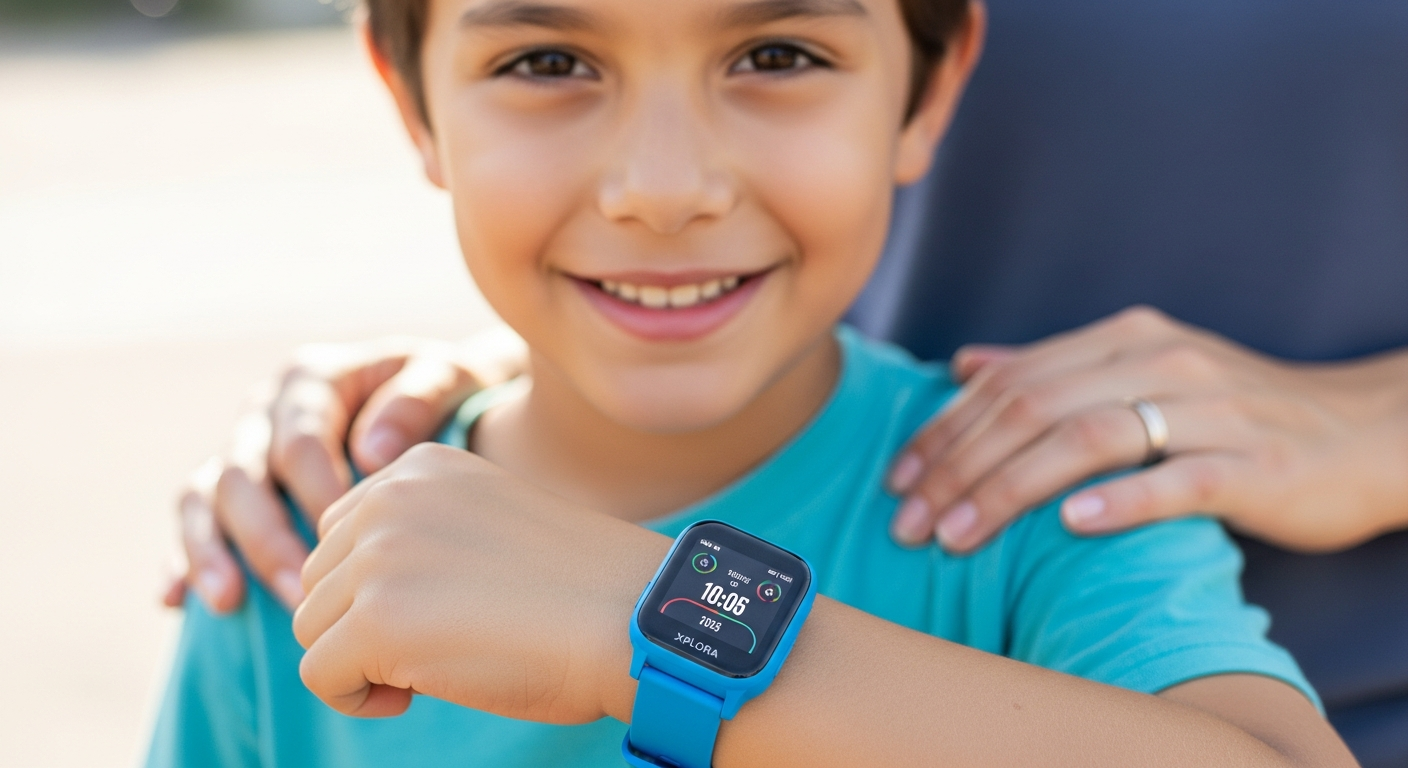
The Xplora XGO3 Kids Smartwatch GPS represents a breakthrough in child-focused wearable technology. Built for children aged 5 to 12, this device delivers the essential features parents genuinely need—real-time GPS tracking, two-way calling with approved contacts, and durable construction—without the complexity of a smartphone. At a price point between $69.99 and $129.99, it's become the go-to entry-level option for families seeking their child's first connected device.
Discover the Xplora XGO3 and transform how your family approaches child safety and independence.
Real-Time GPS Tracking & Geofencing: Peace of Mind That Actually Works
How GPS tracking provides live location updates with map visualization
The GPS tracking system at the heart of the XGO3 delivers real-time location data through the Xplora mobile app. Parents see their child's position on an interactive map, updated consistently throughout the day. This visualization goes beyond simple dot-on-a-map functionality—the app displays movement history, allowing parents to understand their child's daily patterns and routes.
Setting up multiple safe zones (home, school, sports facilities, grandparents' house)
Geofencing transforms GPS tracking into actionable intelligence. Parents establish multiple designated areas where their children spend time regularly. Each zone is customizable in terms of size and boundaries, accommodating everything from a single city block to several square miles. The flexibility ensures that families can reflect their actual lives—whether their child walks to school, gets dropped off, or takes public transportation.
Instant notifications when children enter or leave designated areas
The moment a child crosses a geofence boundary, parents receive an immediate alert. This happens automatically without requiring the child to do anything. The timing of these notifications proves crucial in real-world scenarios: a parent knows when their child arrives at school safely, when they leave the sports facility, or when they deviate from their expected route.
Accuracy range and how GPS performs in urban vs. rural environments
GPS accuracy in urban environments typically ranges from 5 to 15 meters, though tall buildings can occasionally cause signal reflection issues. Rural areas generally provide excellent accuracy with fewer obstructions. The XGO3 adapts to whatever environment your child is in, though parents should understand that accuracy depends on satellite visibility and local infrastructure. Underground locations—like subway systems or parking garages—may experience temporary signal loss.
Battery impact of continuous GPS monitoring and optimization tips
Continuous GPS monitoring does drain the battery faster than passive tracking. The XGO3 manages this through intelligent power management, maintaining up to 72 hours of battery life even with regular GPS usage. Parents can optimize battery performance by adjusting update frequency during non-critical hours or disabling GPS during sleep periods through the app settings.
Privacy considerations and how parent-controlled tracking respects child autonomy
Tracking your child's location raises legitimate privacy questions. The XGO3 handles this by giving parents the tracking capability while respecting the child's dignity. Children know they're wearing the watch and understand its safety purpose. As children mature, parents can gradually adjust notification frequency and discuss location-sharing openly, teaching privacy awareness rather than surveillance.
Integration with the Xplora mobile app for seamless monitoring
The Xplora app functions as the command center for all smartwatch features. Parents manage geofences, view location history, adjust settings, and receive alerts through a single interface available on both iOS and Android devices. The app design prioritizes clarity—critical information appears immediately without requiring multiple taps or scrolling.
Communication Features Designed for Simplicity (Not Unlimited Access)
Pre-approved contact lists: why restriction equals protection
The XGO3 limits communication to contacts that parents explicitly approve. This is the device's most protective feature. Children cannot randomly call or message people—only individuals on the approved list can reach the watch and vice versa. This eliminates exposure to strangers, spam, and inappropriate contacts while maintaining essential family communication.
Two-way calling functionality and call quality expectations
Two-way calling works much like a traditional phone call. Parents can ring the watch, and children can call pre-approved contacts directly. Call quality depends on the cellular network available in the child's location. Urban areas with strong coverage typically provide clear conversations. Rural or remote areas may experience occasional audio degradation, similar to regular cell phone performance.
SMS messaging with character limitations and workarounds
SMS functionality exists but with practical character limits due to the watch's interface. Longer messages become awkward to compose on the small screen. Many families work around this by using pre-set message templates or relying primarily on voice communication. Parents and children can establish their own communication style based on what works best for their situation.
How the smartwatch prevents unwanted contacts and spam
Only approved contacts appear in the communication directory. Unknown numbers cannot reach the watch, and children cannot initiate contact with unknown people. This closed-loop system eliminates the spam and unsolicited contact problems that plague regular smartphones.
Emergency SOS button: what happens when your child needs help immediately
The dedicated SOS button provides instant access to emergency services and pre-selected emergency contacts. A single long press triggers the alarm and initiates a call sequence. The watch can connect to emergency services while simultaneously alerting parents that their child has activated the SOS function.
Voice messaging as an alternative to text for younger users
Voice messaging bypasses typing altogether, making communication accessible for younger children still developing writing skills. Kids can record quick audio messages instead of composing text, which proves faster and more natural for ages 5-7.
Parental controls over communication frequency and timing
School Mode includes communication restrictions, but parents can also set general guidelines about when devices should be actively used for messaging. These controls teach responsibility rather than relying purely on technology limitations.
The Goplay Platform: Turning Activity Into Adventure
Step counter integration and daily activity goals for children
The built-in step counter tracks movement throughout the day, creating a foundation for the Goplay gamification system. The watch rewards activity with points and recognition, encouraging kids to move naturally through their day rather than sitting passively.
Explore how Goplay transforms daily movement into engaging challenges that motivate children.
Gamified challenges and reward systems that motivate movement
Goplay wraps activity tracking in game mechanics that appeal to children. Daily challenges encourage hitting step counts, participating in community campaigns, and achieving milestone badges. These aren't abstract numbers—they translate into tangible rewards within the platform.
In-app auctions and campaigns: how kids earn virtual currency
Active children earn virtual currency that they can spend in auctions or contribute to community campaigns. This economic system teaches value exchange while reinforcing the connection between movement and reward. Kids see their activity having direct consequences they care about.
Games designed for short bursts of engagement (not binge-worthy)
Goplay games occupy perhaps five to ten minutes of attention, not hours. They're designed to be satisfying and complete rather than endlessly consuming. This contrasts sharply with mobile games engineered to trap attention through variable rewards and endless progression.
Social features that encourage healthy competition with peers
Children can see their achievements within Goplay's community, creating friendly competition without the toxicity of social media. Leaderboards for steps or challenges motivate performance while maintaining age-appropriate boundaries around comparison and status.
How Goplay complements physical activity without replacing outdoor play
Goplay succeeds by rewarding real-world movement, not screen time. The step counter works whether the child is walking to school, playing soccer, or biking to a friend's house. The platform incentivizes outdoor activity rather than drawing kids indoors.
Parental dashboard for monitoring activity trends and engagement
Parents access activity data through the Xplora app, seeing weekly step counts, challenge participation, and engagement levels. This visibility helps families recognize patterns—like whether a child is staying active or becoming sedentary—without intruding on the child's experience.
Durability & Design: Built for Real Childhood Adventures
IP68 waterproof rating and what it means for swimming, splashing, and rain
The IP68 rating means the watch handles complete submersion up to specific depths. Children can wear it swimming, in heavy rain, or while splashing in puddles without concern. This durability removes the anxiety many parents feel about water damage, allowing kids to play freely.
Shock-resistant construction for drops, bumps, and active play
The XGO3 survives childhood's inevitable accidents. Dropped from a bed? Fine. Bumped against a doorframe? No problem. Hit during sports? Designed for it. This resilience means the watch actually works for the children who need it most—the active kids constantly in motion.
1.3-inch touchscreen (240 x 240 resolution): visibility and responsiveness
The screen provides adequate visibility in most lighting conditions and responsiveness sufficient for children's interaction speed. The resolution supports sharp text and clear icons, though the small size means some visual strain occurs during extended use. For short interactions—checking location, making calls, viewing notifications—the screen works well.
Band materials and sizing options for growing wrists
Xplora offers adjustable bands to accommodate growing children. The materials are soft enough for comfort during extended wear but durable enough to survive rough play. Multiple color options appeal to different aesthetic preferences, helping children feel ownership of their device.
Long-lasting battery life up to 72 hours: charging frequency and convenience
Battery life spanning three days means parents aren't charging the watch every night. This convenience matters practically—one less device demanding daily power. The extended battery also means the watch continues functioning even if a day's charging gets missed, maintaining safety.
Color and style options that appeal to children's preferences
The watch comes in multiple colors and styles, allowing children input into their device choice. This sense of ownership encourages responsible use and ensures the watch reflects the child's personality rather than feeling like a utilitarian tracker.
Lightweight design that won't feel cumbersome during sports or play
The watch doesn't burden the wrist during active play, swimming, or sports. Its light weight means children forget they're wearing it, which paradoxically makes them more likely to actually keep it on—where it provides the most value.
School Mode: Keeping Focus Where It Belongs
How School Mode disables notifications and games during class hours
School Mode silences notifications and disables games during scheduled class periods. Children don't receive alerts from Goplay, messages, or other distractions. The watch remains functional for emergencies but doesn't pull attention away from learning.
Customizable scheduling for different school days and extracurriculars
Parents set specific times when School Mode activates, accommodating different schedules. Some children might need it 8 a.m. to 3 p.m., while others have staggered schedules or regularly scheduled activities. The flexibility reflects real family situations.
Emergency calls still available even when School Mode is active
The SOS function and incoming calls from pre-approved emergency contacts remain accessible during School Mode. This ensures safety isn't sacrificed for focus.
Reducing digital distractions without creating anxiety about missed messages
School Mode removes the temptation of checking the watch during class without creating fear about missed critical communications. Children know their watch still works for emergencies, and parents can still reach them if necessary.
Parental override capabilities for urgent situations
If a real emergency occurs, parents can override School Mode and contact their child immediately. This capability provides security for both parties—children focus during school confident they can be reached if needed, and parents maintain emergency access.
Teaching children about appropriate device use and digital responsibility
School Mode becomes a teaching tool. It demonstrates that sometimes devices need to step back in favor of other priorities. Rather than pure restriction, it frames attention management as a skill to develop.
Transition strategies when School Mode ends (managing expectations)
When School Mode turns off, notifications resume. Some children become excited to check their watch again, while others might experience some distraction during transition. Parents can discuss the switch ahead of time and help children process the return to normal mode.
Affordability Meets Advanced Features: Why the XGO3 Stands Out
Price comparison with other kids' smartwatches and entry-level smartphones
The XGO3 at $69.99–$129.99 undercuts many competitors offering similar safety features. Entry-level smartphones start around $200 and escalate quickly. Other kids' smartwatches in the same price range often lack the comprehensive feature set or the proven Xplora ecosystem backing.
What you get at $69.99–$129.99 price range versus premium alternatives
For this price, you receive GPS tracking, two-way communication, a durable smartwatch, and access to the Goplay platform. Premium alternatives from Xplora offer additional features like enhanced cameras or more game variety, but the XGO3 delivers the essentials without frivolous additions.
Subscription costs for Xplora services and what's included
The Xplora service includes GPS tracking, communication features, and basic Goplay access. Some premium Goplay features may require separate subscription tiers, but core functionality comes included with the watch. Parents should verify current pricing before purchase, as subscription structures can change.
Long-term value: durability means fewer replacements
The robust construction means the XGO3 typically lasts through several years of childhood. Rather than requiring replacement yearly, families might keep the same device from ages 6 to 10. This longevity dramatically improves the cost-per-use.
Seasonal sales and where to find the best deals
Like most consumer electronics, the XGO3 goes on sale during major shopping periods—back-to-school season, Black Friday, and holiday shopping. Checking multiple retailers and waiting for promotional periods can yield 15-25% discounts.
Cost-benefit analysis for parents weighing options
Compared to the cost of a smartphone ($300-800) plus monitoring software, or the anxiety of not knowing your child's location, the XGO3 represents genuine value. The price acknowledges that this is an investment in safety and independence, not a luxury.
Investment in safety and independence without breaking the budget
Families on tight budgets shouldn't sacrifice child safety. The XGO3 proves that comprehensive tracking and communication doesn't require premium pricing. Safety becomes accessible rather than a luxury reserved for affluent families.
Potential Limitations & How to Manage Them
SMS character length constraints and communication workarounds
The small screen and limited input method create practical SMS limits. Families typically work around this by relying more heavily on voice calls or establishing pre-agreed message shorthand. Understanding this limitation ahead of time prevents frustration.
Call quality variations depending on network coverage
Call quality depends on local cellular infrastructure. Areas with poor coverage will experience connection issues through the XGO3 just as they would with regular phones. This isn't a watch limitation but a reflection of local network availability.
Battery drain during heavy GPS usage and optimization strategies
Frequent GPS checks and active Goplay participation accelerates battery drain. Parents can optimize by adjusting update frequency for known safe times or using School Mode to prevent background app activity. Even with heavy usage, three-day battery life remains respectable.
Screen size limitations for children with visual sensitivities
The 1.3-inch screen works for most children but may strain those with vision issues. Children who require larger displays might struggle with interface navigation. Testing the watch beforehand, if possible, helps identify compatibility.
Learning curve for younger children (ages 5-7) with touchscreen navigation
Children under 7 sometimes struggle with touchscreen precision. They might accidentally trigger functions or become frustrated with interface responsiveness. Parental guidance during initial setup and usage helps, though some children take longer to develop the motor skills needed.
Limited app ecosystem compared to full smartphones (and why that's intentional)
The XGO3 doesn't support arbitrary app installation like smartphones do. This limitation is intentional—it prevents the infinite distraction potential of app stores and keeps the device focused on its core purpose. Parents seeking unlimited app availability should recognize this isn't the device for them.
Honest assessment of what this device is and isn't designed to do
The XGO3 excels at providing safety features and enabling controlled communication. It doesn't replace a full smartphone for heavy media consumption or provide access to social networks. It's specifically designed not to do those things. Families comfortable with this trade-off will love the device; those wanting smartphone functionality should wait.
Making the Transition: From No Device to Smartwatch Ownership
Age-appropriate introduction and setting expectations
Introducing the XGO3 should include explanation of its purpose. Children benefit from understanding that the watch helps them stay safe and independent simultaneously. Setting clear expectations about appropriate use prevents misunderstandings later.
Teaching children about privacy, responsibility, and device care
Parents should discuss that the watch tracks their location for safety. Frame this as a tool that enables independence rather than surveillance. Teach basic device responsibility—not dropping it, keeping it charged, securing the band.
Establishing healthy habits around notification checking
The watch's notification system can become a source of compulsive checking if not managed. Establishing agreements about appropriate checking frequency—like during breaks rather than continuously—helps children develop healthy attention habits.
Involving kids in safety zone setup and geofencing decisions
Let children understand where their safe zones are and why they matter. Involving them in geofence setup creates buy-in and teaches them about the boundaries established for their protection. Age-appropriate children might even suggest additional safe zones.
Gradual independence: how the XGO3 bridges the gap between no device and a phone
The XGO3 represents a developmental stage between childhood dependence and adolescent independence. It allows children to roam further from parents while maintaining connection. This stepping stone prepares them for eventual smartphone ownership with better developed digital responsibility habits.
Family agreements about usage and emergency protocols
Clear agreements prevent confusion. Discuss when the watch should be worn, who children can contact, when parents might check location, and how to handle emergencies. Written agreements help everyone remember commitments made.
Celebrating milestones as your child demonstrates responsibility
Recognizing when children show responsible device use encourages continued positive behavior. Whether they remember to charge it, don't lose it, or follow communication agreements, acknowledgment reinforces good habits.
Your Child's First Step Into Connected Independence
The Xplora XGO3 Kids Smartwatch GPS succeeds where many family tech solutions fall short. It strips away the unnecessary complexity of a full smartphone while delivering the safety features that matter most to parents—real-time GPS tracking, controlled communication, and durable construction that survives childhood's roughest moments. The Goplay platform transforms activity into something genuinely engaging, encouraging kids to move their bodies instead of staring at screens. At its accessible price point, it removes the financial barrier that often keeps families from investing in child safety technology.
What makes this smartwatch remarkable isn't just what it includes, but what it deliberately leaves out. There's no social media, no infinite app store, no algorithmic rabbit holes. Instead, there's freedom—the kind that lets children explore their neighborhoods, play with confidence, and develop independence while staying connected to the people who care about them most. School Mode ensures that learning remains the priority during school hours, and the long battery life means you're not hunting for a charger every evening.
If you're standing at the crossroads between giving your child their first connected device and protecting them from digital overwhelm, the Xplora XGO3 offers a genuinely balanced path forward. It's the smartwatch that grows with your child, adapts to your family's needs, and delivers on its promise of safety without sacrificing the joy of childhood adventure. Ready to give your child the independence they're craving?
Start your child's journey toward connected independence with the Xplora XGO3 smartwatch today.
Leave a Reply