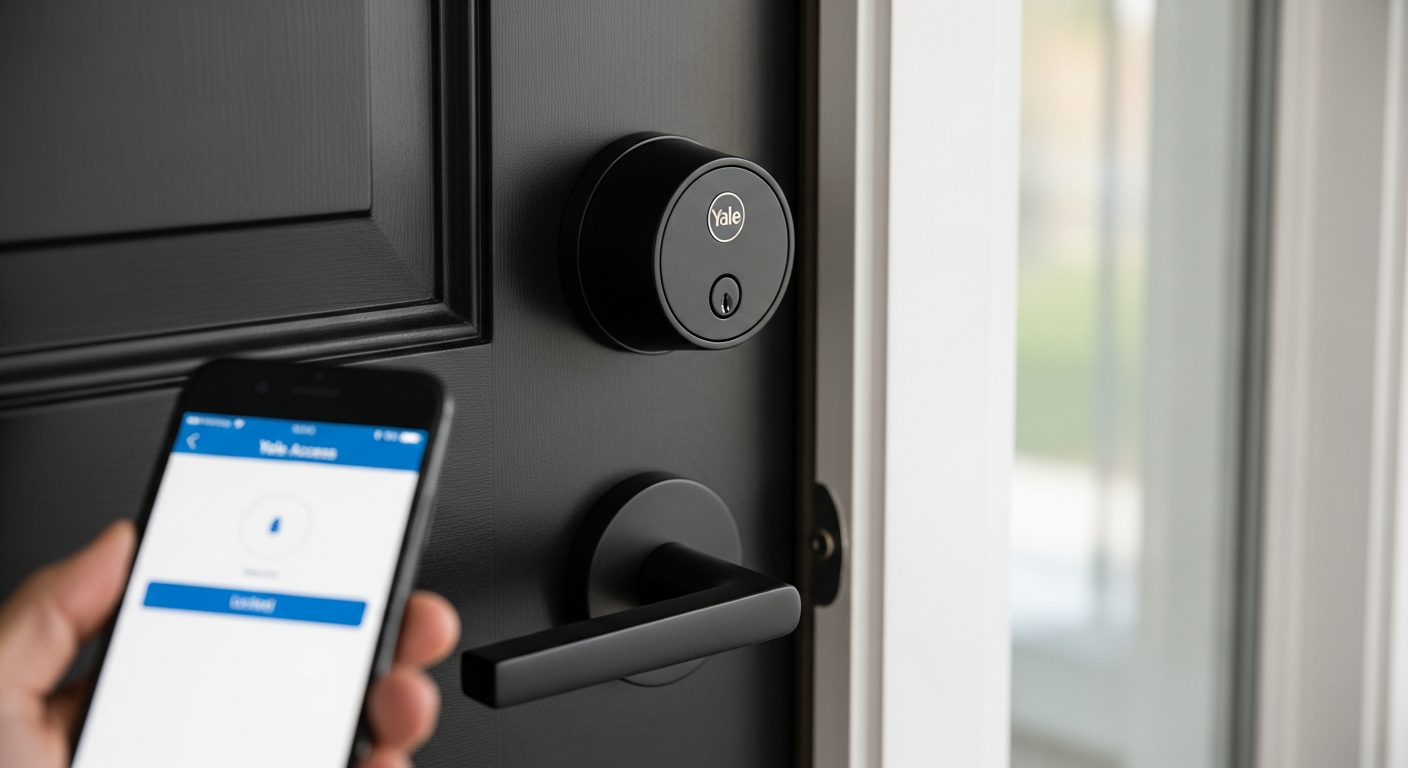
Fumbling for keys at your front door happens more often than you’d like to admit. In the dark. In the rain. While juggling groceries. That everyday frustration is exactly what smart deadbolts were engineered to solve. Yale has spent decades building trust as a security innovator, and the Assure Lock 2 series reflects that heritage while embracing modern connectivity. This isn’t just another smart lock—it’s a bridge between traditional home security and the connected home ecosystem that millions of families are already building.
The combination of biometric access, smartphone control, and compatibility with major platforms like Apple HomeKit and Amazon Alexa makes this a serious contender for homeowners ready to upgrade their entry experience. What separates this smart deadbolt from the competition is Yale’s commitment to both security and convenience without forcing you to compromise on either. The range of models available—from basic keypads to premium versions with Apple Home Key—means you can match the lock to your actual needs rather than paying for features you’ll never use.
Explore the Yale Assure Lock 2 Smart Deadbolt options that fit your home and lifestyle.
Beyond the Keypad: Understanding Yale Assure Lock 2’s Access Methods
The Assure Lock 2 series gives you genuine choices in how you unlock your door. Touchscreen and push-button keypad options remain the foundation of keyless entry—you enter a personal PIN code, and the deadbolt releases. This traditional approach still appeals to many households because it requires no smartphone battery, no app connection, and no learning curve.
The Touch variant adds biometric fingerprint recognition to the mix. You simply place your finger on the sensor, and the lock reads your unique fingerprint in milliseconds. For families with children, elderly residents, or frequent guests, this eliminates the need to share PIN codes or remember which codes are still active. Your actual fingerprint becomes your key.
Apple users on the Plus model experience something different: Apple Home Key tap-and-go functionality. Owners of iPhones or Apple Watches can hold their device near the lock, and it unlocks instantly through secure wireless communication. No code entry. No fingerprint scanning. Just seamless access that feels like the future.
Every model includes a mechanical key override as failsafe backup. If your batteries die or the electronics fail, you can still unlock your door the traditional way. This isn’t a luxury—it’s essential insurance against the unexpected.
Which access method suits your situation? Families with young children often prefer fingerprint access because you don’t worry about them sharing codes with friends. Households with elderly residents benefit from both PIN entry and fingerprint options, allowing flexibility for those with arthritis or dexterity challenges. Frequent hosts—whether Airbnb owners or those who regularly welcome contractors—appreciate the virtual key sharing through the Yale Access App, which lets you grant temporary access without changing codes or giving out spare keys.
In real-world scenarios, the speed differences between access methods matter less than you’d expect. PIN entry takes about 3-5 seconds. Fingerprint recognition takes 1-2 seconds. Apple Home Key is essentially instant. But when you’re arriving home with your hands full, even the “slower” methods feel remarkably fast compared to searching for your key in a purse or pocket.
Model Breakdown: Finding the Right Assure Lock 2 for Your Home
Entry-level models without Wi-Fi connectivity start around $100. These deadbolts offer keypad or push-button access and mechanical key backup—everything you need for keyless convenience without smart home integration. They’re ideal for secondary doors, rental properties, or homeowners who simply want to eliminate key fumbling without adding their lock to their smart home network.
Mid-range options with built-in Wi-Fi jump the price to roughly $150-$250, depending on features. These models let you control your lock remotely through the Yale Access App, monitor access history, and share virtual keys with family members. You can unlock your door from your phone if you accidentally locked your keys inside, or grant temporary access to a guest arriving before you get home. This tier includes compatibility with Google Home and Amazon Alexa, plus Z-Wave and Matter protocol support for broader smart home networks.
Premium Plus models featuring Apple Home Key and advanced integration capabilities represent the top of the line at $300+. If you’re committed to the Apple ecosystem—iPhone, Apple Watch, iPad—this model integrates seamlessly. Apple Home Key uses industry-standard protocols and encryption that many security experts consider more robust than typical smart lock implementations. The Plus model also supports all the features of mid-range versions, so you’re gaining Apple integration, not replacing other capabilities.
The price range analysis reveals what you’re actually paying for at each level. That jump from $100 to $150 buys you remote access and virtual key sharing—genuinely useful features for most households. The jump from $150 to $300+ adds Apple Home Key and often enhanced encryption or additional smart home protocol support. Whether it justifies the cost depends entirely on your ecosystem and preferences.
Feature Comparison and Finish Options
Keypad types vary across models: touchscreen (sleek and responsive), push-button (tactile and reliable), or fingerprint scanner (biometric). Wi-Fi capability enables remote access on mid-range and premium models but isn’t necessary for local keypad or fingerprint access. Smart home compatibility includes native support for Google Home, Amazon Alexa, and Apple HomeKit, with Z-Wave and Matter protocol availability on most models.
Finish options include Black Suede, Oil Rubbed Bronze, Satin Nickel, and Lifetime Brass. Your choice affects whether the lock complements or clashes with your door hardware and home aesthetic. A modern chrome door handle might look awkward next to Oil Rubbed Bronze hardware, so consider your existing fixtures before deciding.
Compatibility with existing door hardware is straightforward for most homes. The Assure Lock 2 is designed for standard door preparations, but verify your specific door’s measurements and thickness before purchasing. Installation requirements are minimal if you’re replacing an existing deadbolt, slightly more involved if you’re converting from keyed-only entry.
Smart Home Integration: Making Your Lock Talk to Your Ecosystem
Native support for Google Home, Amazon Alexa, and Apple HomeKit means your lock can participate in routines and automation without extra hubs or configuration headaches. Google Home users can set up voice commands like “Hey Google, lock the front door.” Alexa users gain similar voice control. Apple HomeKit integration is particularly refined if you own the Plus model with Apple Home Key.
Z-Wave and Matter protocol compatibility extends the Assure Lock 2’s reach beyond those three mainstream platforms. Z-Wave has been the smart home standard for years and works with systems like SmartThings. Matter is the newer, industry-backed protocol that promises better interoperability across brands. Having access to both means your lock remains compatible even if you switch smart home platforms down the road.
Virtual key sharing through the Yale Access App is genuinely transformative for how you manage home access. Instead of giving a contractor a physical key or worrying about changing locks after a housesitter leaves, you grant temporary digital access with an expiration date. The contractor’s virtual key works for exactly the dates you specify. A housesitter’s access ends automatically on their last day. You can revoke access instantly from your phone if circumstances change. Activity logging shows exactly when each person used their key, adding transparency and accountability.
Remote locking and unlocking capabilities come with real-world security implications worth considering carefully. Yes, you can unlock your door from your phone if you’re stuck in traffic and a family member is locked out. But wireless communication also introduces—theoretically—additional attack vectors. Yale uses encryption standards for wireless communication that match or exceed industry best practices, and the company has been transparent about security testing. For most homeowners, the convenience gains outweigh the theoretical risks, but it’s worth acknowledging the tradeoff.
Activity logging and access notifications mean you know who’s entering your home and when. If you grant a contractor access and they use it outside the scheduled window, you’ll be notified. If your teenage child arrives home from school, you’ll see the access notification. This visibility can be reassuring for families managing multiple people’s schedules, or unsettling for those who value privacy—another personal preference to consider.
Integration workflows with existing smart home routines create genuine convenience. Set up automation so that when you arrive home—unlocking your door with your fingerprint or phone—your lights turn on, your thermostat adjusts to your preferred temperature, and your music starts playing. Leaving? Another routine could lock the door, arm your security system, and disable smart lights. These workflows transform your smart lock from an isolated convenience into a hub that orchestrates your whole-home experience.
Check current pricing and available smart home integration options for the Yale Assure Lock 2.
Troubleshooting common connectivity issues requires patience but rarely demands professional help. Wi-Fi connectivity problems often resolve by restarting your router and re-pairing the lock. Bluetooth pairing issues typically clear up by forgetting the device in your phone’s settings and re-adding it. Setup challenges usually stem from unclear instructions—the Yale Access App walks you through pairing, but reading the manual alongside the app process prevents most headaches.
Security Features That Actually Matter
Tamper-proof design and anti-picking technology in the Assure Lock 2’s construction reflect Yale’s core competency. The physical deadbolt mechanism uses the same proven engineering that’s protected homes for decades. The electronic components are housed within the lock body in ways that resist tampering. Yale doesn’t market these features aggressively because they’re simply table stakes for any serious smart lock.
Encryption standards for wireless communication matter intensely, even if you don’t think about them consciously. The Assure Lock 2 uses industry-standard encryption protocols for both Wi-Fi and Bluetooth communication. Apple Home Key uses even more robust encryption because Apple’s HomeKit framework has been specifically designed for security. This means someone can’t simply intercept your wireless unlock command and spoof their own access. The technical details matter less than knowing that independent security researchers have examined these systems without finding critical vulnerabilities.
Battery backup functionality ensuring operation during power outages is absolutely essential. Unlike traditional deadbolts, smart locks depend on batteries. The Assure Lock 2 draws surprisingly little power because it only activates the electronic component when you’re actually unlocking the door. Most users report battery life between 6 and 12 months depending on usage frequency and which access method you use (fingerprint and Apple Home Key use less power than the Wi-Fi radio that stays active on connected models). When batteries do die, you still have mechanical key access—you’re not locked out.
Audit trail capabilities showing access history and attempted entries mean you have a record of who accessed your home and when. This matters for security (detecting unauthorized access attempts) and daily life (knowing when family members arrived home). The audit trail is accessible through the Yale Access App and includes timestamps for each unlock event.
Comparison to traditional deadbolts reveals genuine security gains and legitimate losses. Traditional deadbolts protect you through physical strength—a well-installed deadbolt resists forced entry because the bolt extends deep into the door frame. Smart locks offer that same physical protection plus additional security layers: activity logging that reveals if someone tried to force entry, the ability to revoke access remotely, and the elimination of lost keys. The loss is that smart locks introduce electronic complexity and wireless communication that traditional deadbolts don’t have. Most security professionals conclude that for most homeowners, the gains outweigh the losses.
Real-world scenarios where smart lock features enhance home protection are surprisingly common. A homeowner discovers from the activity log that someone attempted to force the door open while they were at work. They immediately contact police, providing evidence of the attempt. A different homeowner grants temporary access to a contractor, then revokes it immediately after the job ends—eliminating worry about whether the contractor made a copy of the key. A family gets alerts when their elderly parent arrives home safely, or when their teenager comes back from school. These scenarios don’t require dramatic situations; everyday security is often about awareness and controlled access.
Addressing common security concerns about wireless locks and hacking deserves directness. Yes, wireless locks are theoretically hackable. So are wireless car key fobs, wireless payment systems, and every other connected device. The practical security of the Assure Lock 2 depends on the same thing as your car or your payment system: whether you’re using an established brand that takes security seriously. Yale takes security seriously, has been audited by security researchers, and hasn’t experienced major breaches. For the vast majority of homeowners, the security profile of the Assure Lock 2 is solid.
Battery Life, Maintenance, and Long-Term Ownership Costs
Expected battery lifespan for the Assure Lock 2 typically runs 6 to 12 months under typical household usage. If your household has five people arriving and leaving twice daily, you’re looking closer to 6-8 months. A household with one or two people might stretch batteries to 12 months. The electronic lock component only draws power when you’re actually unlocking, so the lock itself isn’t constantly draining batteries—only your usage patterns matter.
Cost of replacement batteries is minimal. Standard AA or AAA batteries cost just a few dollars, and you can purchase them anywhere. The lock doesn’t require proprietary batteries or expensive replacements. Many homeowners buy batteries in bulk for the entire house, so they’re always on hand when the Assure Lock 2 needs fresh power.
Maintenance requirements beyond battery changes are remarkably minimal. The exterior doesn’t require cleaning or special care beyond what you’d do with any door hardware. The interior mechanism is sealed from weather and doesn’t accumulate debris in normal use. Every few years, a light lubricant on the internal bolt mechanism—the same maintenance traditional deadbolts sometimes need—keeps everything moving smoothly. That’s genuinely it.
Durability testing results from Yale and independent reviewers consistently show that the Assure Lock 2 can withstand years of regular use without degradation. The keypad buttons remain responsive, the fingerprint scanner continues functioning accurately, and the electronic components hold up through temperature extremes. This isn’t a product you need to replace every few years if you take minimal care of it.
Warranty coverage varies slightly across models. Most Assure Lock 2 versions come with a one-year limited warranty covering defects in materials and workmanship. Extended warranty options are sometimes available at purchase. The warranty covers electronic failures but not physical damage from attempted forced entry or impact damage from dropping the lock.
Hidden costs worth considering include software updates, app maintenance, and potential compatibility changes. Yale pushes firmware updates regularly, improving security and fixing bugs—these are free and automatic if your lock is connected to Wi-Fi. The Yale Access App receives updates for iOS and Android compatibility—also free. However, if Apple or Google makes major changes to their smart home standards, Yale might deprecate older lock models or charge for advanced features that were once included. This is speculative, but it’s worth acknowledging that connected devices sometimes face obsolescence that mechanical locks don’t.
Comparison of total cost of ownership versus traditional deadbolts over 5-10 years reveals that the smart lock typically wins on convenience and adds only modest cost. A quality traditional deadbolt costs $30-$50 and lasts decades. An Assure Lock 2 costs $150-$300+ but eliminates key fumbling, enables virtual key sharing, and provides activity logging. The batteries cost roughly $3-$5 per year. So over 10 years, you’re spending perhaps $150-$350 on batteries and potential repairs, plus your initial lock purchase. For most homeowners, that investment is worth the daily convenience and security features you gain.
Installation Reality Check: DIY or Professional Setup?
The step-by-step overview of the installation process is refreshingly straightforward. Remove your existing deadbolt (if replacing an old lock) by unbolting it from the inside. Insert the Assure Lock 2’s interior and exterior components into the door’s existing hole and bolt them together. Configure the keypad or fingerprint settings according to the manual. Pair the lock with your phone through the Yale Access App if it’s a Wi-Fi model. That’s genuinely the entire process—no complicated wiring, no electrical work, no structural modifications.
Tools required are minimal: a Phillips head screwdriver, a drill (if you’re installing into a door that doesn’t already have a deadbolt hole), and potentially a tape measure to verify door thickness. You don’t need a locksmith’s specialty tools. If you’re comfortable with basic home repairs, you can handle this installation.
Compatibility with standard door frames is important to verify before purchasing. Most residential doors have standard boring for deadbolts—a 1.375-inch hole. Measure your door thickness and verify that the Assure Lock 2 you’re selecting accommodates that thickness. The product specifications clearly state the compatible thickness ranges, usually between 1.375 and 2 inches. If your door falls outside that range or uses a non-standard deadbolt configuration, you’ll need to either adjust your door or consult a professional locksmith.
Common installation mistakes that compromise security or functionality deserve attention. Don’t overtighten the bolts connecting the interior and exterior components—this can crack the lock housing. Don’t forget to test the mechanical key before you’ve fully completed the installation and put away your old lock—verifying backup access is absolutely worth doing early. Don’t skip the keypad programming step or assume the default settings are secure. Don’t forget to properly position the strike plate so the bolt extends fully into the door frame. These mistakes won’t prevent the lock from working, but they can reduce security or cause reliability issues.
When to call a professional locksmith versus handling it yourself depends on your comfort level and door configuration. If you’re replacing an existing deadbolt in a standard residential door, DIY installation is absolutely feasible. If your door has a non-standard boring, or if you’re uncertain about your ability to position components correctly, a locksmith’s $75-$150 service fee is money well spent. A professional ensures proper installation that doesn’t compromise security.
Timeline expectations show that actual installation typically takes 15-30 minutes once you have all components and tools ready. The time pressure comes from pairing the lock with your smart home system afterward, not the physical installation itself. Budget an additional 15-30 minutes for app setup and testing.
Post-installation configuration and smart home pairing procedures require patience but follow a logical sequence. Add your lock to the Yale Access App, create user codes for household members, and set access permissions. Then add the lock to Apple HomeKit, Amazon Alexa, or Google Home depending on your smart home platform. The apps walk you through this process, and the Yale support documentation is generally clear and helpful.
Troubleshooting failed installations and warranty implications matters if something goes wrong. If the lock doesn’t function after installation, verify that you’ve completed assembly correctly by checking the manual’s diagram. If the problem persists, contact Yale support—they’re responsive and helpful. Improper installation won’t void the warranty as long as you didn’t physically damage the lock during installation. If a professional installer damages the lock, their insurance typically covers the replacement.
Real Homeowners, Real Experiences: Assure Lock 2 in Action
Use cases that highlight the lock’s strengths are surprisingly diverse. Airbnb hosts love the Assure Lock 2 because they can issue virtual keys with automatic expiration dates—each guest gets access for exactly their stay duration without needing to change the locks between bookings. Busy families appreciate arriving home without fumbling for keys while carrying groceries or backpacks. Smart home enthusiasts enjoy the ecosystem integration that transforms their lock from an isolated device into part of their connected home automation.
Scenarios where users found unexpected benefits beyond basic convenience include peace of mind about elderly parents’ safety. One homeowner sets up a routine to receive notifications when their aging mother arrives home from her morning walk, confirming she’s returned safely without needing to call her. Another user discovered that the activity log showed their contractor wasn’t actually completing work during the scheduled hours—transparency that traditional locks never provided.
Honest drawbacks encountered during daily use and ownership are worth noting. Some users report occasional connectivity hiccups where the Wi-Fi connection drops temporarily, though the lock continues functioning through local keypad access. A few note that the Yale Access App, while functional, feels less polished than competitors’ apps. Cold weather can occasionally make the touchscreen less responsive, though this improves once the lock warms up slightly. These drawbacks don’t typically impact core functionality—the lock still unlocks and locks reliably—but they’re real friction points for some users.
Feedback on the Yale Access App usability and reliability shows mixed reviews. The app successfully controls the lock, shares virtual keys, and displays activity history. However, users sometimes report that the app takes longer to load than expected or requires re-pairing after app updates. These issues aren’t catastrophic—you can always use the keypad as backup—but they’re frustrations that some users encounter.
Performance in various weather conditions and temperature extremes is genuinely good. Homeowners in cold climates report that the lock functions reliably even in subzero temperatures. Desert heat doesn’t degrade the electronics. Rain doesn’t cause functionality problems because the lock’s components are weather-sealed. The one condition that occasionally causes issues is extreme cold combined with condensation, which can cause temporary keypad sluggishness until the lock warms up.
Long-term satisfaction and whether users would recommend to friends and family overwhelmingly trends positive. The majority of Assure Lock 2 owners report that they’d purchase the same model again and have recommended it to friends and family. Common phrases in user reviews include “best home improvement decision I’ve made,” “can’t imagine going back to keys,” and “totally worth the investment.”
Comparison insights from users who’ve owned multiple smart lock brands reveal that Yale’s reputation for security is matched by genuine reliability. Users who previously owned other brands report that the Assure Lock 2’s physical build quality feels more substantial, and the smart home integration is more seamless—particularly if they’re Apple HomeKit users.
Making Your Decision: Is the Yale Assure Lock 2 Right for You?
Checklist of questions to ask yourself before purchasing will guide you toward the right model or help you realize that a different solution might be better:
- Do you currently fumble with keys regularly, or are you seeking this upgrade mainly for the “cool factor”?
- Are you already invested in a smart home ecosystem (Apple HomeKit, Amazon Alexa, Google Home), or would this be your first connected device?
- How many household members need access, and do you anticipate granting access to guests or service providers regularly?
- Is your door a standard residential deadbolt preparation, or does it have a non-standard configuration?
- What’s your comfort level with DIY installation—would you attempt this yourself or hire a professional?
- Does your household have anyone with mobility challenges or arthritis who might struggle with PIN entry but would benefit from fingerprint access?
- Are you willing to replace batteries every 6-12 months, or does ongoing maintenance feel like a burden?
- How much weight do you place on having a detailed activity log of everyone who enters your home?
Assessing your smart home ecosystem maturity and compatibility determines which Assure Lock 2 model makes sense. If you don’t own any smart home devices, the entry-level keypad-only model without Wi-Fi might be perfect—you gain convenience without the complexity of smart home integration. If you’re already using Apple HomeKit for other devices, the Plus model with Apple Home Key is worth serious consideration. If you’re Google Home or Amazon Alexa focused, the mid-range Wi-Fi models give you all the integration you need at lower cost than the Plus version.
Budget considerations and financing options matter when the sticker price seems steep. The entry-level model at roughly $100 is an easy impulse purchase. Mid-range models at $150-$250 represent a meaningful investment that many homeowners justify through the convenience and security features. Premium models at $300+ require deliberate budgeting, though Apple HomeKit users often conclude it’s worth the cost. Some retailers offer financing options that break the cost into monthly payments, which makes the premium model more accessible.
Alternative smart lock brands and how they stack up include Level Lock (installs inside the existing deadbolt without replacing it), August (strong Alexa integration), Schlage Encode (solid all-around performance), and Arlo Essential (newer entrant with HomeKit support). Yale’s advantage is its longstanding reputation for lock engineering, plus strong support across multiple smart home platforms. Its potential disadvantage is price—some competitors offer similar features at lower cost, though often with less polish in execution.
Red flags that suggest the Assure Lock 2 might not be the best fit include: you’re renting and your landlord won’t approve modifications; your door has non-standard deadbolt preparation; you distrust wireless connected devices entirely; you’re unwilling to replace batteries periodically; or you need extreme budget minimization. In those scenarios, alternative products might serve you better.
Green lights indicating this is the right choice include: you own your home; you have standard door preparation; you’re already committed to smart home ecosystem integration; you value the combination of security and convenience; and you appreciate Yale’s reputation in the lock industry. If multiple green lights apply, the Assure Lock 2 is genuinely worth consideration.
Next steps after deciding involve verification and purchasing. Check the exact model compatibility with your door’s specifications. Read recent reviews on the retailer’s site to spot any model-specific issues. Verify which smart home integrations matter most to you and confirm the specific model supports them. Purchase from an authorized Yale retailer to ensure warranty coverage. Schedule installation—either DIY or professional—and plan the timing so that you’re not locked out mid-installation.
Your Next Step Toward Smarter Home Security
The Yale Assure Lock 2 Smart Deadbolt represents a genuine upgrade path for homeowners tired of fumbling with traditional keys. Whether you’re drawn to the convenience of fingerprint access, the peace of mind from remote monitoring, or the seamless integration with your existing smart home setup, this lock delivers on multiple fronts. The basic keypad models address the simplest need—keyless entry—while the premium Plus version with Apple Home Key offers the most seamless experience for those already invested in Apple’s ecosystem.
The investment ranges from reasonable to substantial depending on which model you select, but the daily convenience and security benefits tend to justify the cost for most homeowners. Battery maintenance is straightforward, installation is manageable for the DIY-inclined, and Yale’s reputation means you’re buying into decades of security expertise. The smart home integration capabilities are particularly impressive, especially if you’re already committed to platforms like Apple HomeKit or Amazon Alexa.
Before you purchase, honestly assess your needs. Do you need Wi-Fi connectivity, or would a basic keypad model suffice? Are you an Apple ecosystem devotee, or do you prefer Android and Google? How important is biometric access versus traditional codes? These questions will guide you toward the specific Assure Lock 2 model that becomes an invisible part of your daily routine rather than a complicated gadget.
The time to upgrade your front door security is now. Research your specific model options, check compatibility with your door frame, and consider whether professional installation makes sense for your situation. Your future self—the one arriving home with full hands and no keys—will thank you for making the switch.
Discover the perfect Yale Assure Lock 2 model for your home security needs and order today.
Leave a Reply