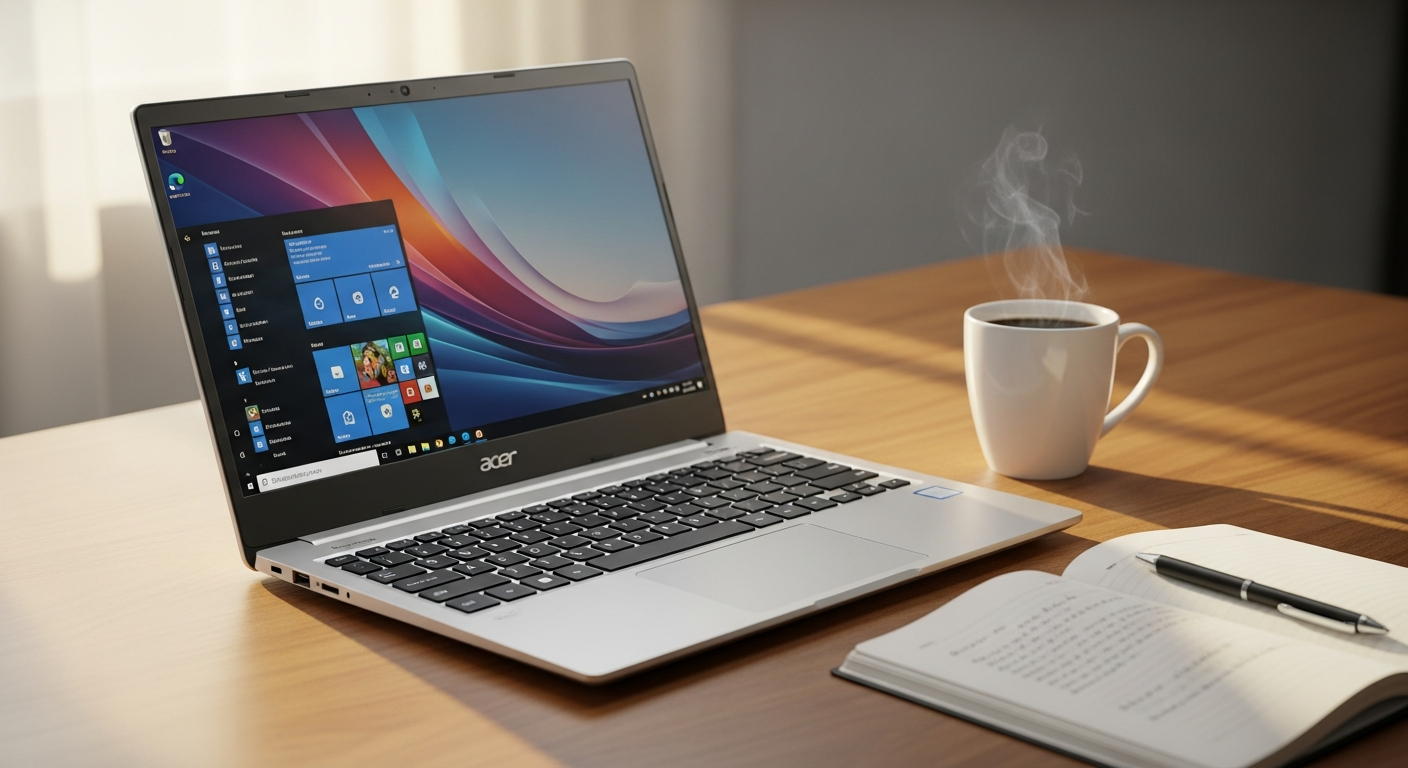
When you're shopping for a laptop under $1,000, the Acer Aspire 5 keeps appearing on every "best budget laptop" list for good reason. Over 2 million units have sold worldwide, cementing its status as one of the most trusted names in the sub-$1,000 category. This isn't a machine that compromises on essentials—it delivers genuine performance where it matters while keeping your spending reasonable.
The Aspire 5 has earned its reputation by focusing on what actually matters: reliable hardware, a comfortable design, and enough connectivity to handle real work. Rather than chasing premium materials or flashy features, this laptop prioritizes substance over flash. You won't find unnecessary bloat or gimmicks—just a straightforward machine built for students, remote workers, and anyone needing a dependable daily driver.
This guide examines what's actually inside the Aspire 5, which configurations offer the best value, and whether this laptop fits your specific lifestyle and needs. By the end, you'll understand exactly what this everyday workhorse can deliver and whether it deserves a spot in your backpack.
Explore the Acer Aspire 5 today and find your perfect configuration.
Decoding the Hardware: What's Inside the Aspire 5?
The processor selection defines your experience with the Aspire 5. Intel Core options range from the i3 for basic computing through to i7 variants across multiple generations (8th, 10th, 11th, 12th, and newer Ultra 5 chips). Those prioritizing value often choose the i3 or i5, while the i7 makes sense if you're juggling multiple browser tabs or running resource-intensive applications. AMD Ryzen alternatives provide comparable performance with different power efficiency characteristics depending on the generation.
RAM Tiers: Finding Your Sweet Spot
Entry-level configurations arrive with 4GB RAM, which handles light browsing and document editing but struggles noticeably with multitasking. Jump to 8GB and you gain breathing room for everyday workflows—web browsers with multiple tabs, email, streaming, and office applications run smoothly without stuttering. The 16GB option targets users managing larger spreadsheets, light video editing, or running multiple applications simultaneously. Most people find 8GB strikes the right balance between cost and functionality.
Storage Speed and Capacity
Every modern Aspire 5 uses fast PCIe NVMe SSDs rather than older SATA drives, meaning rapid boot times and snappy application launches regardless of capacity. Entry configurations start at 128GB, though this fills quickly with modern software and media files. The practical minimum for most users sits at 256GB, while 512GB or 1TB provides comfortable breathing room for libraries of photos, videos, and applications. The performance difference between 256GB and 1TB is negligible—the advantage is purely capacity.
Graphics: Integrated Versus Discrete
Intel UHD and Iris Xe integrated graphics handle everyday computing effortlessly, streaming video without stuttering, and casual web-based gaming. Some mid-range and higher configurations include discrete NVIDIA MX-series GPUs, which accelerate photo editing in Lightroom, video rendering in DaVinci Resolve, or lighter 3D work. For pure productivity tasks, integrated graphics prove perfectly adequate and actually improve battery life.
Display & Design: Is the 15.6-Inch Screen Worth It?
The 15.6-inch Full HD IPS panel provides a practical balance between screen real estate and portability. The 1920×1080 resolution offers enough sharpness for comfortable reading and video work, while IPS technology ensures the display remains viewable from wider angles than older TN panels. Brightness varies by configuration—newer models hit solid brightness levels suitable for indoor work, though some entry-level variants show noticeably dimmer panels. Color accuracy proves adequate for casual photo viewing but won't satisfy professional photographers demanding precise color representation.
The design philosophy emphasizes portability without sacrificing usability. The Aspire 5 remains relatively slim and lightweight compared to older laptop generations, making it genuinely packable for students moving between classrooms or remote workers shuttling to coffee shops. You won't feel weighed down carrying it daily.
Keyboard and Typing Comfort
The backlit keyboard delivers satisfying travel and responsive feedback for extended work sessions. Keys don't feel mushy or distant—they provide genuine tactile confirmation that registers in your fingers. For writers, coders, or anyone spending 6+ hours daily typing, the keyboard proves one of the Aspire 5's underrated strengths. The backlight helps during evening work or dim lighting conditions, though it can't be dimmed or disabled—an occasional minor inconvenience.
Port Selection: A Real Differentiator
Where the Aspire 5 genuinely stands apart from competitors is its generous port selection. You get USB-C for modern peripherals and charging, multiple USB-A ports for legacy devices without requiring adapters, HDMI for connecting external monitors or projectors, and a Gigabit Ethernet port for stable wired internet. This comprehensive connectivity means you're not hunting for dongles or hubs—everything simply plugs in. Many budget laptops omit the Ethernet port entirely, making this inclusion a practical advantage.
Real-World Performance: What Can It Actually Do?
The Aspire 5 handles web browsing and email without hesitation, even with 15+ tabs open and multiple browser windows. Office applications—Excel, Word, Google Workspace—run smoothly with no noticeable lag when editing documents, building spreadsheets, or collaborating on shared files.
Video streaming services like Netflix, YouTube, and Disney+ play without stuttering or thermal issues, even during extended binge sessions. The laptop maintains stable temperatures and fan noise remains minimal during streaming, making it suitable for weekend movie marathons.
Zoom calls and video conferencing remain rock-solid, with the integrated microphone and webcam handling standard meeting scenarios adequately. Even with video on, multiple participants, and screen sharing, performance remains stable without unexpected freezes or dropped connections.
Light Creative Work
Users doing casual photo editing with Lightroom or Photoshop find the Aspire 5 capable of handling standard workflows. Editing a wedding photo album or retouching product shots for an online store runs smoothly without frustrating delays. However, this is the ceiling—4K video editing or heavy 3D design work will show noticeable slowdowns.
The Price-to-Value Equation: Budget Tiers Explained
Entry-Level Models Under $500
Base configurations with an i3 processor, 4GB RAM, and 128GB storage occupy the sub-$500 space. These serve students with basic computing needs, light web work, and streaming admirably. You sacrifice some headroom for multitasking and storage capacity, but the fundamentals remain solid. If your workflow never exceeds web browsing, email, and office documents, entry-level proves sufficient and leaves budget for other priorities.
The Mid-Range Sweet Spot: $600-$799
This tier represents the practical choice for most users. An i5 processor paired with 8GB RAM and 256GB storage handles everyday computing with genuine breathing room. Video calls remain stable, multitasking doesn't cause stuttering, and you maintain enough storage for months of typical use before housekeeping. This configuration delivers the best value-to-performance ratio.
Premium Configurations: $800-$999
Higher-spec models add discrete NVIDIA GPUs and i7 processors, targeting users who genuinely need that extra performance. Photo and video editors, developers running resource-intensive IDEs, or anyone pushing the laptop toward its limits benefit from this tier. However, honestly assess whether your actual workload justifies the extra investment—most people don't need what this tier offers.
Comparison Against Competitors
Dell Inspiron, HP Pavilion, and Lenovo IdeaPad occupy similar territory at comparable prices. The Aspire 5 consistently offers stronger port selection and slightly better keyboard feedback than direct competitors at the same price point. HP tends toward flashier designs, while Lenovo sometimes charges more for similar specs. The Aspire 5's strength lies in refusing to cut corners on practical features while maintaining aggressive pricing.
Who Should Buy the Aspire 5 (And Who Shouldn't)
The Perfect Fit
College students juggling classes, part-time work, and social life find the Aspire 5 genuinely adequate. It survives the chaos of dorm life, handles academic software without complaint, and provides entertainment between study sessions. Remote workers needing reliable video calls and document collaboration appreciate the stability and port selection—no surprise disconnections during important meetings.
Casual creators doing light photo and video editing work comfortably within the Aspire 5's capabilities. Photographers processing batches of wedding or event photos find the workflow smooth. Content creators shooting YouTube videos or TikToks for growing channels benefit from the decent performance without premium pricing.
When to Skip It
Professional video editors working with 4K footage or higher need dedicated graphics and faster processors than the Aspire 5 offers. 3D designers using applications like Blender or Maya will experience frustrating delays. Serious gamers wanting to play modern titles at respectable frame rates should look elsewhere—the Aspire 5 handles only older or casual games acceptably.
Navigating Common Complaints & Trade-Offs
Fan Noise Under Load
The cooling system becomes audible when processing demanding tasks or extended video encoding. Some users describe it as a minor inconvenience, while others find it intrusive. The noise level remains within typical laptop range and quiets immediately when workload decreases. If you work in silent environments like libraries, this occasional fan activity might prove distracting—a legitimate consideration rather than a dealbreaker.
Display Limitations on Budget Models
Entry-level configurations sometimes feature less impressive displays with lower brightness or reduced color accuracy compared to mid-range variants. If you're sensitive to screen quality or work in bright environments, spending extra for an IPS panel upgrade proves worthwhile. For typical indoor use, even entry-level displays prove perfectly adequate.
Plastic Chassis Durability
The chassis relies on plastic construction to achieve its price point, which won't feel as premium as aluminum-bodied laptops. However, plastic proves durable through typical use—it's genuinely difficult to damage through normal handling. After multiple years of daily use, the material might show cosmetic wear without affecting functionality. This is a cosmetic trade-off rather than a structural limitation.
Pre-Installed Bloatware
Acer includes some trial software and utilities that consume system resources. Most users immediately uninstall these after first startup, recovering performance and storage space. It's an annoyance rather than a serious issue, taking perhaps 15 minutes to clean up. Fresh Windows installations avoid this entirely if you're comfortable with that approach.
Customization & Upgrade Path: Future-Proof Your Investment
RAM Upgrades
The Aspire 5 features accessible RAM slots without requiring disassembly of the entire chassis. If you start with 8GB and later find yourself needing 16GB, purchasing additional RAM modules and installing them yourself costs significantly less than buying a new laptop. This user-friendly design means your initial configuration doesn't lock you into permanent limitations.
Storage Expansion
The M.2 SSD slot accepts standard NVMe drives, allowing straightforward capacity upgrades without voiding warranty (assuming you follow proper procedures). Moving from 256GB to 512GB costs roughly $30-50 and takes minutes, making future expansion practical and affordable.
Maximum Supported Limits
Most Aspire 5 models support up to 32GB RAM and 2TB storage across multiple M.2 slots in higher configurations. However, verify your specific model's supported limits before purchasing additional components—not every variant supports the absolute maximum.
Upgrade Cost-Benefit Analysis
If you're deciding between a base configuration now versus a higher-spec model, consider your actual growth trajectory. Starting with 8GB RAM and upgrading to 16GB later costs less than paying the premium now if you're uncertain about future needs. However, if you absolutely know you'll need maximum specs immediately, the configuration discount often makes buying fully spec'd from the start slightly more economical.
Connectivity & Ports: Why This Matters More Than You Think
USB-C Charging and Data Transfer
Modern USB-C charging eliminates proprietary power adapters, meaning you can charge the Aspire 5 with the same cable as your smartphone or tablet. This proves invaluable when traveling—one universal charger handles multiple devices. Data transfer speeds via USB-C enable quick file transfers to external drives or other computers.
Multiple USB-A Ports
The inclusion of multiple USB-A ports means connecting older peripherals—external mice, keyboards, flash drives—without requiring adapters. While the tech industry gradually transitions to USB-C, this practical accommodation acknowledges that older devices remain common in workplaces and schools.
HDMI Output for Presentations
Connecting to projectors for classroom presentations or conference room screens remains straightforward via HDMI. Many corporate environments still rely on HDMI connections exclusively, making this port essential for professional compatibility.
Gigabit Ethernet Advantage
In environments with weak Wi-Fi—busy coffee shops, crowded dorms, office buildings with congested networks—the Gigabit Ethernet port provides stable wired connectivity. This advantage proves especially valuable for video conferencing or file transfers where wireless reliability becomes critical.
Comparing Configurations: Which Model Should You Actually Buy?
Base i3 Configuration
The entry-level i3 with 4GB RAM and 128GB storage costs the least and suffices for students with minimal computing demands. If your typical day involves web browsing, email, document editing, and streaming, this configuration handles everything without complaint. The main limitation is storage capacity—you'll need cloud storage or external drives for large media libraries. Consider this if budget constraints are absolute and your workload remains light.
The Goldilocks Option: i5 with 8GB RAM
This mid-range configuration represents the practical choice for most users. The i5 processor provides genuine multitasking capability without excessive cost, 8GB RAM eliminates noticeable lag during typical workflows, and 256GB storage accommodates several months of typical use. Video calls remain stable, creative light work runs smoothly, and you maintain flexibility for future needs. If you're uncertain which configuration fits your needs, this one rarely disappoints.
i7 with 16GB and Discrete GPU
The premium configuration targets power users who genuinely require maximum performance. The i7 processor and 16GB RAM handle heavy multitasking and resource-intensive applications smoothly. The discrete NVIDIA GPU accelerates creative workflows significantly. However, honestly assess whether your actual work demands this tier—it's overkill for students, remote workers, and casual users. The cost premium often exceeds the practical performance benefit for typical use cases.
IPS Display Upgrade Value
If your base configuration includes a TN panel and you work in varied lighting conditions or sit at angles to your screen, the IPS upgrade proves worth $50-100. The improved viewing angles and color consistency genuinely enhance the experience during extended work sessions. However, for straight-on desk work in controlled lighting, the savings from skipping this upgrade might matter more than the display quality difference.
The Bottom Line: Making Your Move with the Aspire 5
The Acer Aspire 5 succeeds precisely because it doesn't chase every market segment. Instead, it targets a specific niche with focus: delivering genuine performance where it counts while respecting your budget. Whether you're cramming for exams at midnight, managing back-to-back Zoom calls from your home office, or binge-watching your favorite series across an entire weekend, this everyday laptop handles everything without breaking a sweat.
Your decision ultimately depends on matching the right configuration to your actual workload. Spend honest time assessing what you'll genuinely do with this machine—then find the configuration that fits that reality. Someone spending their day in spreadsheets needs different specs than someone doing light video editing or casual web work.
The Aspire 5 offers enough flexibility across its configuration range that nearly everyone finds something that works. It won't dazzle you with cutting-edge design or premium materials, but it will reliably handle your daily computing tasks month after month without frustration or unexpected failures.
Check out the latest Acer Aspire 5 models and place your order with confidence.
Leave a Reply