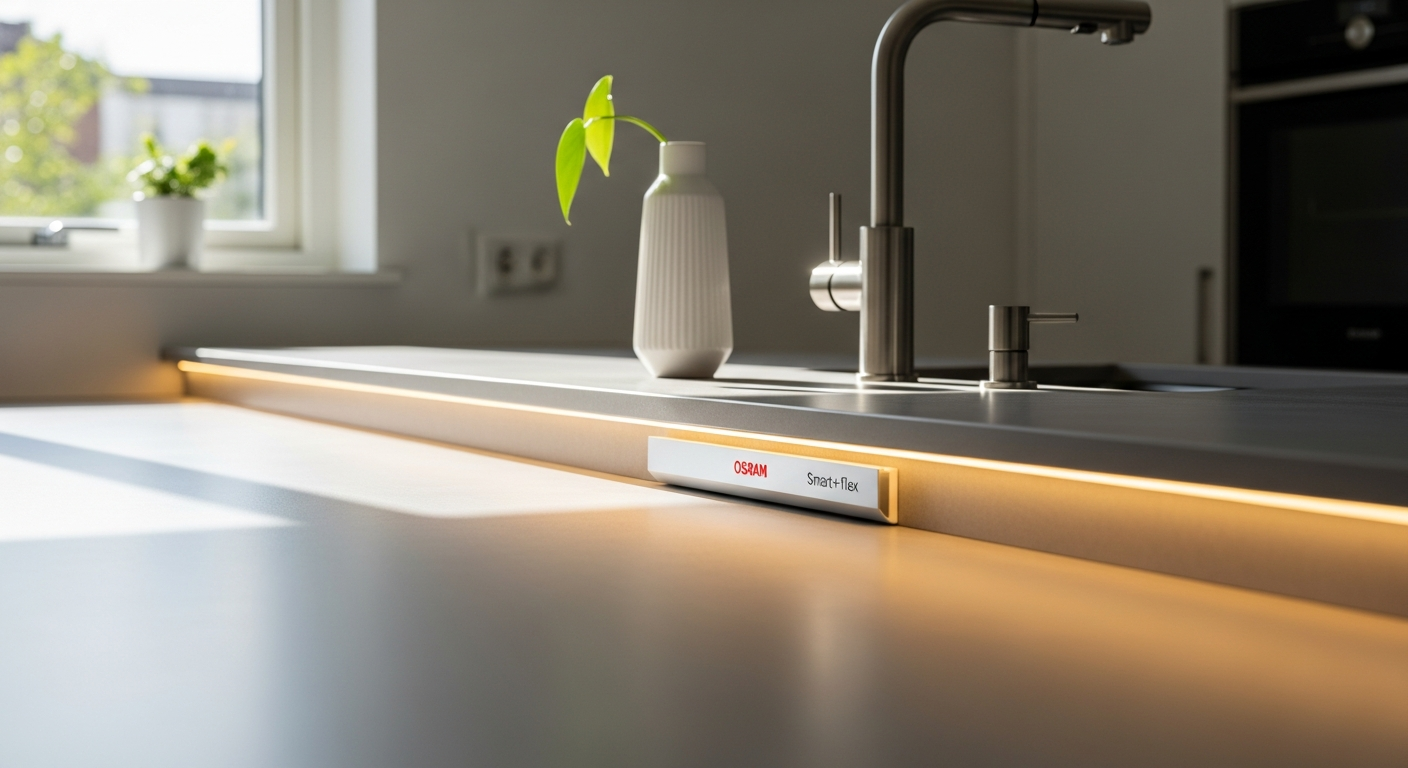
Getting your smart lighting setup right matters more than most people think. I've watched countless homeowners struggle with LED strip installation, only to end up with flickering lights, incomplete color control, or worse—an entire smart home system that feels fragmented and unreliable. The OSRAM Smart+ Flex Multicolour LED Strip promises seamless integration and stunning ambient lighting, but there's a significant gap between promise and performance that deserves your attention.
OSRAM has built its reputation on quality lighting solutions for decades, and their Smart+ line represents their push into the connected home market. This particular LED strip captures attention with its multicolour capabilities, tunable white light options, and Apple HomeKit compatibility. It's positioned as an accessible entry point for people wanting to add smart lighting without breaking the bank—especially when promotional pricing drops it below £30.
Installation Reality: What You Need to Know Before You Buy
Step-by-step setup process and initial HomeKit pairing requirements
The initial setup feels straightforward on the surface. You unbox the strip, peel back the adhesive backing, apply it to your chosen surface, and plug in the power supply. The HomeKit pairing happens through your iPhone or iPad—scan the HomeKit code on the packaging, and the strip should appear in your Home app within moments.
What catches many people off-guard is the actual placement logistics. The strip's Bluetooth range plays a critical role in whether pairing succeeds smoothly or becomes a frustrating exercise in repositioning. If your Home Hub (Apple TV 4K, HomePod, or HomePod mini) sits in another room, the initial connection might work fine, but maintaining stable communication requires careful consideration of distances and obstacles.
The hidden hub requirement that catches beginners off-guard
This is where the product's marketing glosses over a crucial detail. While the OSRAM Smart+ Flex connects via Bluetooth, actually automating and controlling it remotely—away from home—requires an Apple Home Hub. Without one, you can only control the strip when connected to your home WiFi network directly. Many first-time smart home buyers don't realize they need this separate device, and discovering this requirement after purchase creates unnecessary friction.
Bluetooth connectivity range and placement optimization
Position your strip within 30 feet of your Home Hub for reliable operation. Walls and metal fixtures weaken the signal considerably, so account for that when planning installation. In open-plan spaces, connectivity remains stable. In compartmentalized homes with thick walls, you might experience occasional disconnections during setup or after the device goes into sleep mode.
Tools and materials needed for proper installation
Beyond the strip itself, you'll want connector clips if you're extending the lighting, additional power supplies depending on your configuration, and possibly adhesive strips rated for the wall surface you're using. The standard adhesive backing works on most painted drywall, but glossy surfaces or textured walls might require extra support. Have a smartphone with the Home app installed ready before starting.
Common setup mistakes that lead to incomplete color recognition or connectivity drops
Rushing the initial HomeKit pairing before the strip fully powers up creates most problems. Wait 30 seconds after connecting power before attempting to add it to HomeKit. Another frequent mistake involves placing the power supply in a location that creates a weak Bluetooth link to your Home Hub. Test connectivity from multiple rooms before finalizing placement. Additionally, forgetting to reset the strip (holding the button for 10 seconds) before pairing a second time can result in phantom devices cluttering your Home app.
How to verify successful pairing and test all color modes before finalizing placement
After pairing completes, test the full color spectrum through the Home app. Cycle through warm whites, cool whites, and the entire rainbow. Listen for any clicking sounds indicating connection instability. Load a scene that cycles through colors rapidly—this stress test reveals weak connections immediately. If everything responds smoothly, you're ready to finalize placement. If colors lag or drop out, reposition the strip or your Home Hub and repeat the test.
Power supply considerations and cable management best practices
The power supply provided with the strip handles a standard 180cm length efficiently. Running cable behind furniture or along baseboards keeps things tidy, but avoid tight bends that stress the connector. Position the power supply in a location with adequate ventilation—it generates modest heat during extended use. If you're extending the strip, consider whether your existing power supply remains appropriate for the extended length, or if additional power injection is necessary.
Extending Your Strip: Avoiding the Fragility Problem
Understanding voltage drop issues across longer strip lengths
When you extend the OSRAM Smart+ Flex beyond its standard 180cm configuration, voltage drop becomes a real concern. As current travels along longer stretches of the strip, brightness and color consistency degrade noticeably, particularly at the far end from the power supply. A 360cm configuration (two 180cm strips connected) might show the second strip displaying noticeably dimmer reds and less saturated blues compared to the first section.
Solder joint vulnerability and connector durability concerns
The connectors between strip segments represent the weak point. Users report that solder joints can be fragile, and repeated connection and disconnection cycles gradually degrade the connection quality. Some users have experienced complete failures within months of moderate use. Inspect connector pins regularly for corrosion or damage. If you see green oxidation, clean gently with isopropyl alcohol on a cotton swab.
Proper extension techniques to maintain consistent brightness and color accuracy
When adding segments, ensure connectors seat completely—any gap leads to intermittent contact and color glitches. Apply gentle pressure for several seconds after connecting. Consider using heat shrink tubing over solder joints to provide mechanical protection, though this requires basic soldering skill.
When to use additional power supplies versus daisy-chaining strips
For a single 180cm strip, one power supply suffices. When extending to 360cm, you have two options: daisy-chain another power supply at the midpoint to inject fresh voltage into the second half, or rely on the original supply and accept some color degradation at the far end. For installations exceeding 360cm, additional power supplies become necessary. Daisy-chaining multiple supplies requires careful connection order and synchronization to avoid flickering.
Testing extended configurations before permanent installation
Before committing to adhesive application across multiple strips, assemble them temporarily on a workbench. Power the configuration, test color consistency across all segments, and verify HomeKit recognizes the entire strip as one device. Run the color cycle test for 10 minutes, watching for any instability. This dry run catches problems before they're embedded in your wall.
Identifying early warning signs of connection failure
Flickering, especially at specific color values, signals either a power supply strain or connector deterioration. Sections of the strip that suddenly go dark or show only partial color indicate a failed connection somewhere. If you notice these symptoms, stop using the extended configuration, disconnect all segments, and test each one individually to isolate the problem.
Cost-benefit analysis of extending versus purchasing separate strips
Buying connector kits and additional power supplies to extend a single strip can cost £15-£25 depending on your local pricing. At those prices, you might be tempted to purchase a second complete strip instead. The advantage of a second full strip is independent HomeKit control and separate power sources—no voltage drop concerns. The disadvantage is managing two separate devices in your Home app and potentially paying more overall. The math typically favors purchasing separate strips if you need more than 360cm of total length.
The Siri Compatibility Flaw: What It Means for Your Smart Home
Specific limitations within HomeKit's Siri voice control integration
The core issue: Siri cannot always reliably control the OSRAM Smart+ Flex with the same precision as other HomeKit devices. Commands like "turn on the kitchen lights" work, but "set the kitchen lights to warm white" might fail or only partially execute. The strip responds inconsistently to color-specific requests, leaving users unable to activate sophisticated scenes through voice.
How the fractured smart home experience impacts daily usability
Imagine asking Siri to activate your "movie night" scene, which should dim all lights and set specific colors. The OSRAM strip either doesn't change or changes incorrectly, breaking the entire scene's intended effect. Over time, this unreliability trains users to default to manual app control, negating one of the primary benefits of HomeKit integration.
Automation and scene creation constraints with this strip
Creating HomeKit automations that include the OSRAM strip works—but only partially. You can automate the strip to turn on at sunset, but automating it to a specific color at a specific time often fails or executes incorrectly. This limitation matters significantly if you've envisioned using the strip for sophisticated routines like morning wake-up lighting or evening wind-down scenes.
Workarounds using HomeKit automations and third-party apps
You can work around some limitations by using HomeKit automations triggered by other conditions (time of day, presence, scenes from other devices). Some users report success with third-party HomeKit apps that offer more granular control and better OSRAM strip compatibility than Apple's official Home app. These workarounds require extra setup steps and don't completely eliminate the underlying issues.
Comparing voice control reliability across different HomeKit devices
When you command a Philips Hue light to change color, Siri executes it flawlessly. The same command to the OSRAM strip shows notable success rate differences. This isn't just an inconvenience—it's a fundamental difference in how reliably the device integrates into your voice-controlled ecosystem. Users comparing the OSRAM strip to alternatives quickly notice this disparity.
Whether manual control via app is sufficient for your needs
If you're comfortable managing most lighting through the Home app and don't depend heavily on Siri voice commands, the OSRAM strip performs competently. The app interface is intuitive, scene creation works smoothly, and you'll have consistent control. This approach works especially well in single-person households or situations where app-based control is the primary interaction method.
Timeline for potential firmware updates addressing Siri issues
OSRAM has released occasional firmware updates, but addressing Siri compatibility fully likely requires work at multiple levels—potentially involving Apple's HomeKit implementation as well as OSRAM's software. No official timeline exists for comprehensive fixes, so purchasing this product assumes acceptance of current Siri limitations rather than hope for future resolution.
Color Performance & Tunable White Capabilities in Practice
Real-world color accuracy across the full spectrum
The OSRAM Smart+ Flex delivers genuine color accuracy. Reds are vibrant without appearing washed out, blues maintain saturation even at lower brightness levels, and greens appear natural rather than sickly. The full RGB spectrum renders cleanly without significant color shift as you cycle through options. This performance ranks favorably against non-smart LED strips in the same price category.
Warm white (2700K) to cool daylight (6500K) performance and reliability
The tunable white range performs exceptionally well. Warm white emerges as authentic incandescent-like light without excessive orange cast. Cool white reaches convincing daylight temperature appropriate for task lighting and morning routines. The transition between color temperatures feels smooth, and you can set any intermediate temperature with precision. This flexibility makes the strip genuinely useful for different times of day and activities.
Color saturation and brightness consistency at different settings
At full brightness, colors maintain saturation beautifully. As you dim, saturation remains consistent without colors becoming muddy or desaturated. This consistency matters because many LED strips lose color quality when dimmed—the OSRAM strip resists this degradation effectively. Whether you're running at 50% or 100% brightness, color rendering stays reliable.
How ambient room lighting affects perceived color quality
In a dark room, colors appear maximally saturated and vivid. In a brightly lit space, the strip's colors compete with ambient light, naturally appearing less dominant. This isn't a flaw—it's physics. The strip excels at mood lighting in darker environments but functions less impressively as accent lighting in bright daylight. Consider your room's typical lighting conditions when evaluating whether this strip meets your needs.
Best use cases for different color temperatures
Warm white (2700K-3000K) excels for evening relaxation, bedroom ambient lighting, and creating intimate atmospheres. Neutral white (4000K) works well for kitchen task lighting and reading areas. Cool white (5000K-6500K) supports focus during work or study sessions and provides energizing morning light. Leveraging these temperature ranges across different times of day maximizes the strip's practical value.
Energy consumption at full brightness versus dimmed settings
The OSRAM Smart+ Flex draws approximately 9W at full brightness across its standard 180cm length. At 50% brightness, consumption drops proportionally, reaching about 4.5W. This efficiency makes it feasible to run the strip continuously without significant energy impact. Even at full brightness for 8 hours daily, the monthly energy cost remains under £1 in most regions.
Comparison with non-smart LED strips regarding color customization
Standard dumb LED strips offer color changing capability through remote controls, but customization remains limited. The OSRAM Smart+ Flex provides precise control over every aspect—specific colors, brightness levels, and white temperatures—all accessible from your phone wherever you are. This precision justifies the premium over basic alternatives.
Energy Efficiency & Long-Term Value Assessment
Actual power consumption and real-world measurements
The 9W specification represents peak consumption at full brightness and full color saturation. Real-world usage typically operates at lower brightness settings. Users monitoring power consumption report average daily usage of 3-5W when dimmed to typical comfortable levels. Over a year, this translates to minimal electricity costs, making the strip environmentally friendly compared to incandescent or halogen alternatives.
LED lifespan expectations and replacement cost considerations
OSRAM LEDs typically last 25,000 to 50,000 hours depending on usage intensity and ambient temperature. In a typical bedroom accent lighting scenario (4 hours daily), the strip should function for 15-35 years before noticeable dimming. This longevity means replacement cost becomes negligible when amortized across the product's life. At £30-£45 per strip, annual cost of ownership drops to £1-£3 when accounting for lifespan.
Energy savings compared to traditional incandescent and halogen alternatives
A 60W incandescent bulb produces similar light output to this LED strip while consuming 6-7 times more electricity. Over 10 years, the energy cost difference amounts to hundreds of pounds. Even compared to CFL alternatives, LED efficiency provides meaningful monthly savings, particularly if you run ambient lighting for extended periods.
Heat generation and thermal management during extended use
LEDs generate considerably less heat than incandescent sources. The OSRAM strip remains cool to the touch even after hours of continuous operation at full brightness. This characteristic matters for installations near sensitive materials or in warm climates where additional heat from lighting contributes to cooling costs.
Cost per lumen analysis versus standard smart bulbs
The OSRAM Smart+ Flex delivers approximately 300-400 lumens per meter at full white brightness. When calculated per lumen, the cost sits slightly above traditional smart bulbs due to the strip format, but the coverage area justifies the price. You're paying for distributed illumination across a room rather than point-source brightness.
Longevity of connectors and solder joints affecting total cost of ownership
The fragility concerns mentioned earlier directly impact long-term value. If connectors fail within 2-3 years, total cost of ownership skyrockets because replacement becomes more expensive than initial purchase. Proper installation and careful handling can extend connector life significantly. Users reporting failures typically share stories of rough handling or installations in high-vibration environments.
ROI timeline based on energy savings and durability
At promotional pricing (£30), the strip reaches energy payback within months when replacing incandescent lighting. Factor in longevity, and the ROI timeline extends across years, making it a genuine long-term investment in efficient lighting. At full retail price (£45), ROI extends longer but remains reasonable for smart home enthusiasts who value the HomeKit integration.
Price Point Reality: Finding the Right Deal
Standard retail pricing versus promotional offers
The OSRAM Smart+ Flex typically sells at £25-£45 depending on retailer and timing. Promotional periods—particularly around major shopping events—drop prices to £15-£25, occasionally even lower. The difference between full retail and promotional pricing is substantial enough to warrant patience if you're flexible on timing.
Where to find legitimate discounts without compromising warranty
Major electronics retailers offer seasonal sales and bundle deals. Authorized LEDVANCE distributors consistently provide competitive pricing while maintaining full warranty coverage. Avoid suspiciously discounted options from unknown sellers—warranty complications cost more than any price savings.
Value comparison with competing smart LED strips
Nanoleaf and Govee strips offer comparable features at similar price points. Nanoleaf excels in modular expansion but costs more. Govey undercuts on price but has mixed HomeKit reliability. Philips Hue delivers premium performance and reliability at higher cost (£50-£80). The OSRAM strip represents good middle ground—solid performance, reasonable price, acceptable smart home integration.
Calculating true cost when accounting for hub requirements or additional strips
Factor in whether you already own an Apple Home Hub. If not, add £99-£149 for a HomePod mini. If extending the strip, add connector and power supply costs (£15-£25). These additions significantly impact total investment when calculating true cost of ownership.
Seasonal pricing patterns and best times to purchase
October and November typically offer aggressive discounts as retailers prepare for holiday shopping. January brings post-holiday clearance sales. Summer periods show minimal discounting. Spring promotions exist but remain modest. If price is your primary concern, autumn represents the optimal purchasing window.
Bundle deals and package options that improve overall value
Some retailers bundle the OSRAM Smart+ Flex with other smart lighting products at discounted combined rates. These bundles rarely represent significant savings individually but can be worthwhile if you're building a complete HomeKit ecosystem simultaneously.
Warranty coverage and what's actually protected
Standard OSRAM warranty covers manufacturing defects for 2-3 years depending on region. Physical damage, water exposure, and improper installation fall outside warranty protection. Register your product with OSRAM immediately after purchase to ensure warranty validity. Read the specific warranty terms before purchasing—coverage varies by sales channel.
Build Quality & OSRAM Brand Reliability
Material durability and weather resistance ratings
The strip housing uses quality plastic and rubber that resists typical indoor environmental stress. It's not weather-sealed for outdoor use despite some marketing suggesting outdoor capability. Treat it as an indoor-only product—exposure to moisture or temperature extremes degrades performance and creates safety hazards.
Connector quality and potential failure points
The connectors represent the known weakness. Gold-plated pins resist corrosion better than plain brass, but the solder joints holding them remain vulnerable to stress and vibration. Handle connectors gently and avoid repeated connection cycles where possible.
Adhesive backing performance on different wall surfaces
The self-adhesive backing works excellently on clean painted drywall. It performs adequately on textured walls but may require supplemental support clips. On glossy surfaces, tile, or wallpaper, the adhesive provides insufficient holding power—use mounting clips instead. Clean and dry the surface thoroughly before application.
How OSRAM's reputation translates to real-world product longevity
OSRAM's 100+ year history in lighting manufacturing carries real weight. Their reputation for quality reflects in build standards and component selection. The OSRAM Smart+ Flex demonstrates this heritage through solid construction and careful engineering. Problems that emerge typically stem from design compromises (Siri compatibility, connector fragility) rather than manufacturing shortcuts.
Comparison with other OSRAM smart lighting products
The OSRAM Smart+ color-changing bulbs share similar HomeKit integration characteristics and Siri limitations. However, bulbs feature more robust connectors and simpler configurations. The Smart+ Flex represents a riskier purchase than their established bulb product line, reflecting newer technology that hasn't achieved the same refinement.
User reports on long-term reliability beyond the first year
Most users report satisfactory performance during the first year. Issues emerge primarily in years 2-3, particularly with extended configurations or heavy use scenarios. Connector failures and intermittent connectivity problems become more common as time progresses. Proper installation and moderate use extend longevity significantly.
Factors that extend or shorten product lifespan
Temperature stability extends lifespan—environments with wild temperature swings degrade components faster. Avoiding frequent power cycling preserves connector integrity. Proper cable management preventing tension on solder joints reduces failure risk. Conversely, rough handling, improper installations with bent connectors, and exposure to temperature extremes shorten working life considerably.
Best Use Cases: Where This Strip Actually Shines
Accent lighting for entertainment spaces and media rooms
The multicolor capability transforms media rooms into dynamic environments. Sync colors with on-screen action during movies, or set ambiance matching your movie mood. The HomeKit integration allows scenes like "movie night" that coordinate lighting with other smart home devices. This scenario plays to the strip's strengths—color accuracy and app control.
Under-cabinet kitchen lighting with smart control
Task lighting in kitchens benefits from tunable white temperatures. Switch between warm white for cooking comfort and cool white for focused food preparation. The strip's brightness at full intensity provides genuine utility beyond ambiance. HomeKit scheduling allows automatic activation during meal prep times.
Bedroom ambient lighting and sleep automation potential
Morning wake-up scenes can gradually brighten the strip from darkness to cool daylight, supporting natural sleep cycle alignment. Evening scenes can transition to warm white as you wind down for bed. The strip's smooth dimming and color control create genuinely useful automated sleep support.
Retail and commercial display applications
Small retail spaces and home offices can use the strip for product highlighting or accent lighting. The precise color control allows merchandise to appear in optimal light. Commercial applications bypass the Siri limitation issues since voice control isn't relevant.
Gaming setup and streaming room enhancement
Gamers appreciate the color responsiveness for streaming aesthetics and background lighting that complements on-screen action. The strip adds visual polish to streaming setups without creating distracting flickering. Scenes can coordinate strip colors with lighting adjustments across the entire room.
Seasonal decoration and holiday lighting automation
Quickly transition between holiday themes through scenes. Halloween orange, Christmas reds and greens, Valentine reds—the multicolor capability eliminates need for switching physical decorations. HomeKit scheduling automates lighting changes throughout the season.
Situations where Siri limitations don't significantly impact usability
Installations where app-based control dominates work perfectly. Dedicated hobby spaces or personal rooms where you're comfortable managing lighting through your phone avoid the Siri frustration. Home offices or creative spaces benefit from app control precision without voice command dependency.
The Bottom Line: Making Your Purchase Decision
The OSRAM Smart+ Flex Multicolour LED Strip delivers genuine value if you understand what you're actually buying. I won't sugarcoat it—the Siri compatibility issue is real, and it creates genuine friction for voice-control enthusiasts. The fragility concerns when extending strips demand careful installation and proper planning. But here's what tips the scales: the build quality remains solid, the color accuracy impresses in real-world conditions, and the energy efficiency speaks for itself. At promotional pricing under £30, this strip becomes a compelling choice for app-based control and scene automation. At full retail, you're paying for the OSRAM name and HomeKit ecosystem integration.
Your decision ultimately hinges on whether you prioritize voice control convenience or don't mind managing your lighting through the HomeKit app. Factor in your specific installation needs—single strips perform flawlessly, while extended configurations require extra planning and investment. The product serves app-first users excellently and frustrates voice-control dependent users noticeably.
I'd recommend this strip for anyone building a HomeKit ecosystem who can work within its constraints, but approach it cautiously if Siri integration is non-negotiable for your smart home vision. Evaluate your specific use case carefully: if you fall into the accent lighting, gaming setup, or bedroom automation categories, this product delivers real satisfaction. If you envision heavily automated voice-controlled scenes across your entire home, consider alternatives that handle Siri commands more reliably.
Leave a Reply