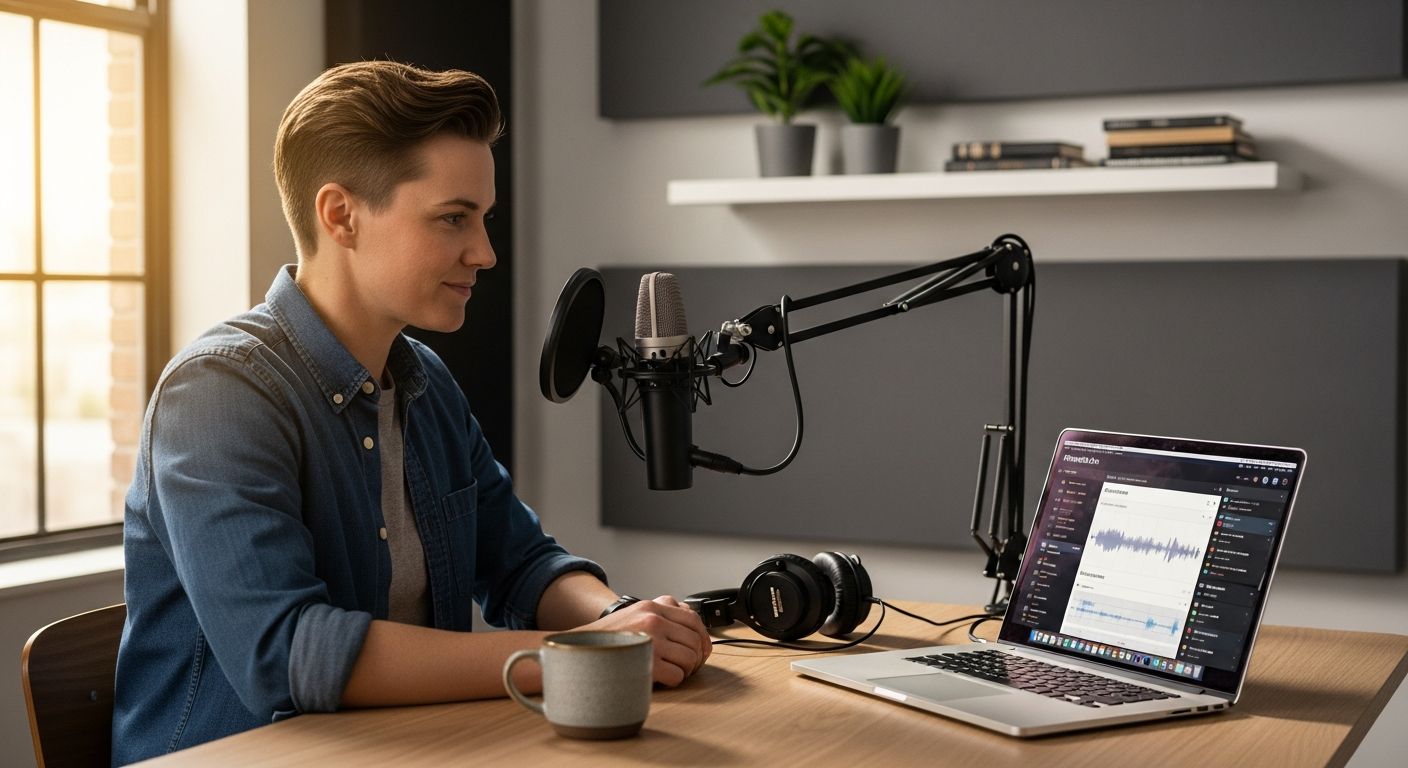
The clock is ticking. Solo podcasters and independent content creators are hemorrhaging 6-8 hours every week to post-production work—transcription, editing, clip creation, and distribution. That's time stolen from planning your next episode, growing your audience, or simply stepping away from the screen. Most creators don't realize how much of their creative energy gets consumed by pure logistics rather than actual content creation.
Riverside.fm emerged as a genuine alternative for creators who refuse to compromise on quality while managing everything solo. Unlike generic video conferencing tools that prioritize convenience over capability, this platform was purpose-built for podcasters and content creators who demand pristine audio, crystal-clear video, and intelligent automation. The difference becomes immediately apparent when you start recording.
Start your free trial with Riverside.fm today and experience the difference local recording makes.
Why Local Recording Quality Matters More Than You Think
The fundamental advantage of Riverside.fm lies in how it captures your content. The platform records lossless audio and up to 4K video directly on your device—meaning your recording quality remains flawless even when your internet connection struggles. This distinction separates professional tools from consumer alternatives.
How lossless audio and local device recording prevent internet-related quality degradation
When you use cloud-based platforms like Zoom or Teams, your audio and video compress during transmission, then compress again in the cloud, then decompress on playback. Each cycle strips away detail. Riverside.fm sidesteps this entire process. Your audio records as WAV files locally on your machine—the same format professional studios use. Your video captures at your chosen resolution without streaming bandwidth limitations. The internet connection only transmits metadata, not your actual content.
The difference between cloud-based compression and Riverside.fm's local capture technology
Consider what happens during a typical Zoom call: your microphone captures at 48kHz, the codec compresses it to roughly 64kbps for transmission, Zoom's servers process it, and participants receive a degraded version. Riverside.fm records the original 48kHz audio on your device while simultaneously streaming a compressed version for live interaction. After the session ends, you download the pristine local file. The technical gap between these approaches is substantial—your final product reflects professional-grade capture, not video conference compromises.
Why WAV audio format and 4K video capabilities appeal to professional solo creators
Professional audio engineers specify WAV because it preserves every frequency and detail captured by the microphone. When you edit your episode later, you're working with complete information rather than reconstructing what compression removed. Similarly, 4K video capability matters for creators considering video podcasts, YouTube uploads, or future repurposing. You capture once at maximum quality; you can downscale for distribution without losing source integrity.
Real-world scenarios where unstable internet would destroy recordings on competing platforms
Imagine recording an important interview. Your guest's WiFi drops briefly—a common occurrence. On Zoom, that moment produces visible pixelation, audio dropouts, and sync issues that ruin the segment. On Riverside.fm, the local recording on your guest's device continues uninterrupted. Their video keeps recording at full quality on their machine. When they reconnect, their stream rejoins seamlessly, but your local file shows no gap whatsoever. You can edit out the brief stream interruption if needed, but the core content remains pristine.
How multi-track recording enables flexible post-production editing for solo creators
Multi-track recording means each participant's audio and video records to separate tracks. Your voice gets one track, your guest gets another. This separation is transformative during editing. If your guest's audio peaks too loudly, you adjust only their track. If you need to remove a cough from your audio, the guest's track remains untouched. This flexibility is standard in professional studios but essentially absent from consumer tools.
The technical advantage of separate audio and video tracks for individual participants
Consider a scenario where you need to replace your video (perhaps you were off-camera during part of the call) but keep the guest's video. With multi-track recording, this becomes trivial—extract their video track, use your B-roll or camera footage for your portion. Traditional single-track recordings make this nearly impossible without re-recording entire segments. For solo creators managing multiple content formats, this flexibility translates directly to time savings and creative options.
AI-Powered Editing: The Solo Creator's Secret Weapon
The real breakthrough in Riverside.fm's platform emerges in the editing phase. Most creators expect to spend hours manually cutting, trimming, and arranging their recordings. Riverside.fm's AI editing fundamentally changes this expectation.
How text-based editing transforms your workflow by editing transcripts instead of timelines
Imagine editing your 60-minute podcast episode by reading a transcript and deleting the parts you don't want. That's how Riverside.fm's text-based editing works. The platform automatically transcribes your entire recording, then lets you edit by simply selecting and removing text. The video and audio sync perfectly to your edits. This approach appeals to anyone who's struggled with timeline-based editors—there's no zooming in, no hunting for the exact frame, no precise clicks required. You're working at the speed of thought, not the speed of your mouse hand.
Automatic removal of filler words, pauses, and awkward silences without manual cutting
Riverside.fm's AI identifies filler words ("um," "uh," "like"), extended pauses, and dead air. You control how aggressively these get removed. Turn on aggressive mode and the platform eliminates nearly every pause under two seconds. This feature alone reshapes what's possible for solo creators—natural speech becomes broadcast-polished without sounding robotic when configured correctly. Many creators report that enabling this feature cuts editing time by 40% immediately.
Time savings: comparing traditional editing (8+ hours) versus Riverside.fm AI editing (1-2 hours)
A typical 60-minute podcast recorded in standard software takes 8-12 hours to edit properly: importing, organizing, trimming dead air, normalizing levels, removing pops and clicks, adding music, exporting in multiple formats. Riverside.fm collapses this timeline. Import your recording (automatic), enable AI editing to remove filler and pauses (5 minutes), review the transcript for any manual edits needed (15-30 minutes), export your polished episode (2 minutes). The time savings compound across episodes.
Automated transcription in 100+ languages for global audience accessibility
Riverside.fm transcribes in over 100 languages automatically. This opens your content to international audiences who prefer reading transcripts, improves SEO for your episodes, and creates searchable archives. A solo creator in Brazil can transcribe Portuguese episodes while simultaneously reaching English-speaking audiences. This capability previously required outsourcing to transcription services at $100+ per episode.
The learning curve: how beginners can master AI editing features in minutes
Riverside.fm's interface was designed for creators, not audio engineers. Most users figure out the text-based editing within their first session. Beginners don't need to understand compression ratios, EQ, or mixing. The AI handles technical optimization while you focus on content decisions. This democratization of production quality explains why Riverside.fm attracts creators of all experience levels.
Limitations and when manual editing still provides better results
The AI excels at structural editing and filler removal. Complex creative decisions—like when you intentionally want a dramatic pause, or when a "um" conveys personality—sometimes require manual override. For highly produced shows with music, sound effects, and layered audio, some creators still prefer traditional DAWs for the final mix. Riverside.fm positions itself as the primary editing solution for most creators, not a replacement for every possible scenario.
Integration with your existing editing software and DAWs
If you need to do additional work in Audition, Logic, or your preferred DAW, Riverside.fm exports separate tracks as standard audio files. You get the pristine multi-track recordings and can bring them into any professional tool. This flexibility ensures Riverside.fm fits into your existing workflow rather than forcing you to abandon software you know.
Monetization and Distribution Built Into Your Workflow
Creating polished content means nothing if it doesn't reach your audience. Riverside.fm integrated podcast hosting and distribution directly into the platform, eliminating the need for separate services.
Riverside.fm's integrated podcast hosting and distribution capabilities
Rather than recording in one place, hosting in another, and distributing through a third service, Riverside.fm handles hosting natively. Your episodes store on their servers, your podcast feed generates automatically, and distribution to major platforms happens from within the platform. This consolidation cuts your tool stack significantly.
How simultaneous multi-platform streaming saves time and reaches more listeners
During your recording session, you can stream simultaneously to YouTube, LinkedIn, Facebook, and other platforms while recording separate local tracks. Your live audience engages across multiple channels. After the session, those streams archive automatically. Meanwhile, your pristine local recording is ready for editing and podcast distribution. One session produces multiple content assets with minimal additional effort.
One-click distribution to Spotify, Apple Podcasts, YouTube, and other major platforms
Once your episode is edited and approved, Riverside.fm distributes to Spotify, Apple Podcasts, Google Podcasts, Amazon Music, and dozens of other platforms with a single action. You don't visit each platform individually, you don't manage multiple feeds, you don't worry about formatting inconsistencies. Click distribute, and your episode appears everywhere within hours.
Hosting features that eliminate the need for separate podcast hosting services
Riverside.fm hosts your entire podcast archive with unlimited storage (depending on your plan). This eliminates separate hosting services like Buzzsprout, Podbean, or Transistor. Your podcast feed lives on Riverside.fm servers, reducing monthly subscriptions and service dependencies.
Analytics and listener insights available directly through the platform
You don't log into a separate analytics dashboard. Riverside.fm provides listener data—download counts, geographic distribution, device types, listening patterns—directly in the platform. You see which episodes resonate, which moments get replayed repeatedly, and whether your audience is growing.
Custom branding options for your podcast feed and episodes
Riverside.fm lets you customize how your podcast appears across platforms. Your cover art, show description, episode artwork, and metadata all maintain consistent branding. This prevents the fragmented appearance that comes from managing multiple services with varying customization options.
How built-in distribution reduces your tool stack from 5+ apps to 1 unified platform
Many creators use Zoom or Riverside for recording, a separate hosting service like Transistor, then Zapier to automate distribution, then a DAW for editing, then a transcription service, then a social media scheduler. That's a minimum of 5-6 monthly subscriptions and login credentials. Riverside.fm consolidates recording, hosting, editing, transcription, and distribution into one interface. You reduce monthly costs, eliminate context-switching, and maintain consistency across all your platforms.
Magic Clips and Social Media Repurposing at Scale
The real multiplier effect in Riverside.fm comes from Magic Clips—the platform's AI-powered social media repurposing tool. A single 60-minute episode can become 10-15 social media assets automatically.
Automated clip generation for TikTok, Instagram Reels, and YouTube Shorts
Magic Clips analyzes your episode and identifies the most engaging moments—usually 15-60 second segments that work as standalone content. The system generates clips formatted specifically for TikTok (9:16 ratio), Instagram Reels, and YouTube Shorts. Each uses the native format's optimal dimensions and aspect ratio.
How Magic Clips identify the most quotable and shareable moments automatically
The AI analyzes not just what's said, but how it's said. It identifies moments of high emotion, surprising statements, insightful conclusions, and moments where your guest or you make a distinct point. These moments get flagged as potential clips automatically. The system learns from which clips perform well, continuously improving its identification.
Customization options for clip length, captions, and branding
You're not locked into the AI's choices. Adjust clip length, customize captions, add your logo, choose fonts and colors. Each clip can include your podcast name, guest name, or a specific call-to-action. Branding remains consistent across all clips.
Time investment comparison: manual clip creation (3-4 hours) versus automated generation (minutes)
Creating clips manually involves listening to your episode, noting timestamps of interesting moments, exporting segments, editing them in video software, adding captions, resizing for different platforms, and uploading. For a solo creator, this easily consumes 3-4 hours per episode. Magic Clips generates 10+ clips in minutes. You review them, make adjustments if needed, and schedule them across platforms.
Repurposing single podcast episodes into 10+ social media assets
A single episode suddenly becomes 10-15 social media posts, each driving traffic back to your full episode. This multiplier effect dramatically increases your content's reach without requiring additional recording time.
Thumbnail generation and caption styling for maximum engagement
Magic Clips generates custom thumbnails for YouTube clips and styles captions to match your branding. Auto-generated captions match speech accurately, improving accessibility while increasing engagement (captions dramatically boost watch time on social platforms).
Extending your content's lifespan and reach across multiple platforms
Your podcast episode typically gets its biggest spike in listens within the first week. Social clips extend that lifespan—clips posted weeks or months later still drive discovery of your original episode. One episode effectively lives for months across social platforms, continuously driving audience growth.
Pricing Tiers and ROI for Independent Creators
Riverside.fm's pricing structure addresses creators at different stages and scales. Understanding the tiers helps you select the plan that delivers maximum value.
Free plan overview: 2 hours of recording, 720p video, watermarked exports
The free tier lets you test the platform with 2 hours of recording monthly. Video exports at 720p, and Riverside.fm adds a watermark to your videos. This tier works for initial experimentation but limits you for ongoing production. The watermark prevents publishing professional content.
Standard plan ($15-$19/month): 5 hours recording, 1080p video, watermark removal
The Standard plan provides 5 hours of recording monthly—enough for roughly one weekly podcast episode. Video exports at 1080p, perfect for most online distribution. Watermark removal means your content looks fully professional. Most independent podcasters start here.
Pro plan ($24-$29/month): 15 hours recording, 4K video, advanced AI tools
The Pro plan jumps to 15 hours monthly—supporting 3-4 weekly episodes. 4K video capability opens video podcast possibilities. Advanced AI tools include all features like Magic Clips, aggressive filler removal options, and priority support.
Enterprise custom pricing for larger operations and teams
Teams running multiple podcasts or operations at scale get custom pricing based on recording hours, team size, and feature requirements. Enterprise accounts include dedicated support and custom integrations.
Cost-benefit analysis: comparing Riverside.fm to separate tools
A comparable setup using separate services breaks down like this: Zoom/Riverside recording ($15-20), Transistor podcast hosting ($19-99), Descript or Adobe for editing ($12-55), Zapier automation ($15-20), transcription service ($50-100 per episode). A solo creator easily spends $150+ monthly on tools. Riverside.fm's Standard plan at $15-19 consolidates most of these services. Even upgrading to the Pro plan at $24-29 saves money while improving quality.
Annual billing discounts and payment flexibility options
Riverside.fm offers discounts for annual payments, typically reducing monthly costs by 20-30% when billed yearly. Monthly billing remains available for those preferring flexibility. This pricing flexibility accommodates different cash flow situations.
ROI calculation: how reduced production time translates to financial gains
If you typically spend 10 hours weekly on production (recording, editing, transcribing, distributing) and Riverside.fm cuts this to 4 hours, you reclaim 6 hours weekly. That's roughly 300 hours annually. Value that time at $30-50/hour (reasonable for independent creators), and you're capturing $9,000-15,000 in reclaimed time annually. Against a $200-300 yearly Riverside.fm investment, the ROI is exceptional even before considering improved audience growth from professional-quality content.
Hidden costs to avoid when selecting your plan tier
Understand what's included before upgrading. The Pro plan includes all AI features; Standard plan is more limited. If you need 4K output or advanced features, Standard plan becomes constraining despite lower cost. Consider your actual monthly recording hours (most creators underestimate) and whether you'll need video distribution to justify higher tiers.
The Creator's Competitive Edge
Riverside.fm transforms what used to be a grinding, multi-tool workflow into a streamlined, intelligent system. You're not just saving hours each week—you're reclaiming creative energy that was previously consumed by technical busywork. The platform's combination of pristine local recording, AI-powered editing, and integrated distribution creates a genuine competitive advantage for solo creators who want professional results without the professional-sized team.
The real magic happens when you realize you're no longer choosing between quality and speed. Riverside.fm delivers both. Your solo podcast can sound and look as polished as productions from established media companies, and you can accomplish it in a fraction of the time. That's the promise, and for thousands of independent creators, it's delivering results that are reshaping what's possible for the solo creator economy.
Leave a Reply